• Skip to primary navigation
  • Skip to main content
  • Skip to footer
Digital Silver Imaging Logo

Digitalsilverimaging

The Fine Art of Printing in a Digital World

  • Order Now
    • Direct-to-Print
    • Value Prints
    • Custom Print Upload
  • Prints
    • DSI Digital Silver Prints
    • Custom Inkjet Prints
    • Direct-to-Print Service
    • Value Prints
    • Try Us - Print Sample Promotion
    • Aluma Mounts
  • Digitize
    • Digitization and Scanning
    • Art Reproduction & Giclee Printing
  • Frame & Finish
    • Print Mounting
    • Print Matting
    • Framing
    • Aluma Mounts
    • Aluminum Print Hangers
    • Wood Print Hangers
  • More
    • Consulting and Curation
    • About DSI
    • The DSI Team
    • DSI Blog
    • Frequently Asked Questions
    • DSI Swag
    • The Unbound Portfolio®
    • Close Out
  • Contact
  • Search

Uncategorized

New IR Workshop a Success

June 6, 2014 by Digital Silver Imaging

Infrared Workshop with Laurie J. Klein

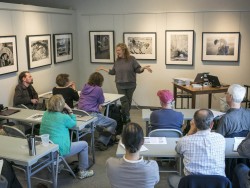
A clear, late Spring day in Massachusetts was a perfect setting for a digital infrared workshop with instructors Laurie J. Klein and Kyle Perler. The workshop, Digital Infrared Photography 101, was taught to a sold-out crowd of 15 photographers. The biggest surprise of the day was that over half of the participants fell in love with the magic and mystery of infrared  during the film days of Kodak HIE High Speed Infrared Film! These intrepid photographers used changing bags, red filters, and the quirky film to capture IR. Now they are embracing digital infrared and a much simpler production process.

This workshop was scheduled to coincide with an exhibit of infrared photography titled, Beyond the Visible Spectrum. The exhibition featured the work of 4 artists that use infrared photography to create images of ethereal beauty. The work of Laurie J. Klein, Ron Rosenstock, Tony Sweet and Carl Stoveland provided inspiration and a teaching vehicle to workshop participants. Laurie utilized the prints on display as her introduction to the art of IR photography.

As Laurie stated, “One of the most challenging aspects of infrared capture is being able to pre-visualize in a non-visible spectrum. Learning how to interpret in IR.  Foliage comes out white yet the bark of the tree branches come out dark so composing is different then with color or B&W capture.  Some black fabrics come out white, some black. Red roses come out white, purple flowers come out darker. “

Many participants admitted that one of the reasons they love IR is there is often a gift that happens, something they didn’t see in the viewfinder or expect. Because the photographer is not working with a light source she can see, not all outcomes are predictable, that is the “magic” of IR.

Laurie and class during hands-on portion of workshop

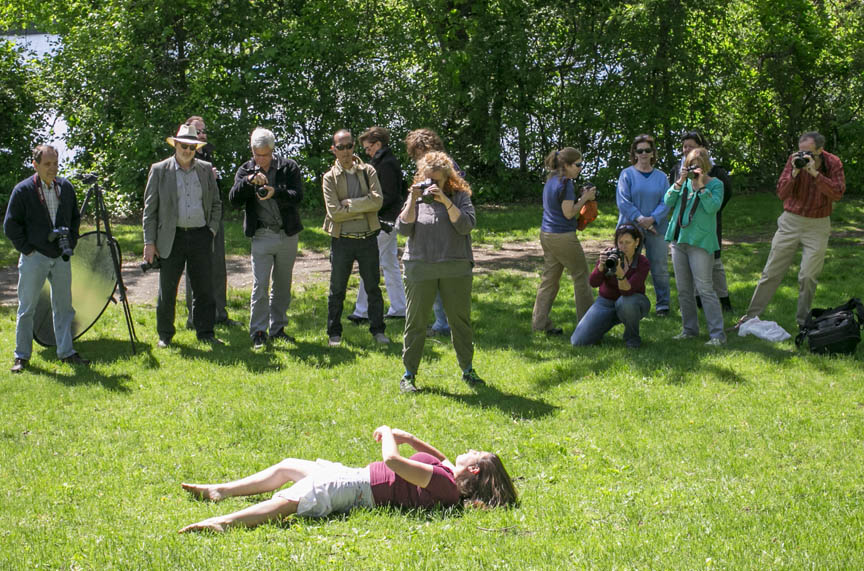
Laurie and Kyle also brought in a model for a few hours and went out shooting at a pond near Digital Silver Imaging. Laurie also brought a Cam Ranger, which she tethered to her camera and laptop so the students could instantly see what the images being produced looked like. This allowed Laurie to discuss composition, what a good IR histogram looks like, exposure, ISO and custom white balance.

After a group photograph, it was back to the classroom and Kyle worked with the group on after capture. Using a variety of methods from Photoshop, Lightroom and Nik Pluggins: Color Effects Pro and Silver Effects Pro.  Kyle stepped the class through several images from raw to final, spending a good deal of time on retouching eyes, as eyes can go very dark and have an extremely haunting quality to them when photographed with IR.

Participants responded to Laurie and Kyle’s instruction with overwhelmingly praise and we hope to have the team back soon for another workshop and perhaps even an advanced session.

Join Laurie J. Klein 7/13-7/18/14 in beautiful Santa Fe, New Mexico for her workshop : Creative Infrared Photography

Laurie’s new book: Photographing the Female Form with Digital Infrared


Help spread the word!

Filed Under: Events, General News, Uncategorized, Workshops Tagged With: Infrared Photography Workshop|IR

Digital Silver Print™

May 27, 2014 by Digital Silver Imaging

We’ve trademarked our unique black & white silver gelatin prints as the “Digital Silver Print™.”

Help spread the word!

Filed Under: Uncategorized

Infrared Portrait

May 22, 2014 by Digital Silver Imaging

© Eric Luden
© Eric Luden

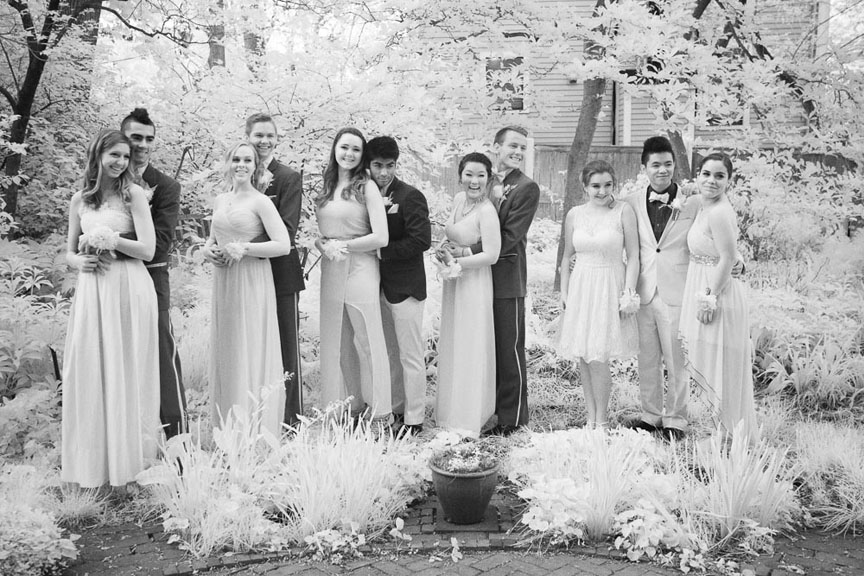
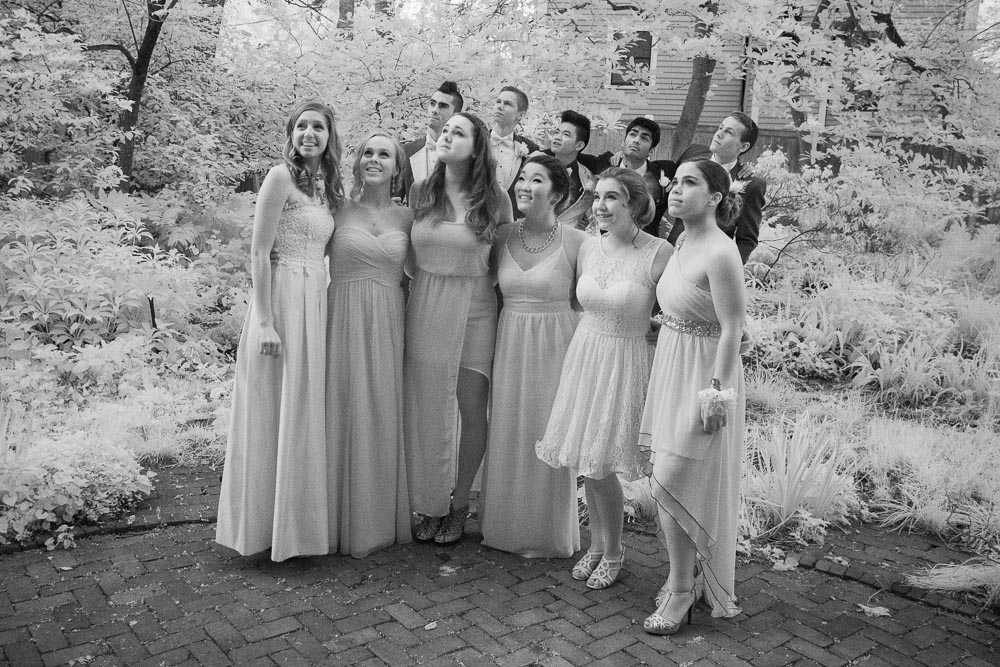
Conventional wisdom states that infrared photography should not be used for portraiture. However, at times infrared can give a portrait an interesting and novel twist. These prom photos taken by DSI owner, Eric Luden, show how adding IR to the mix can create some memorable and fun images.

© Eric Luden
© Eric Luden

Typically a small urban backyard isn’t an ideal location for a photo shoot. By using his converted Canon 5D, Eric employs the infrared light reflecting off the foliage to brighten the scene. The uniformity of tone also creates a sense of harmony between many gowns of different colors. To see how other photographers have used Infrared to create portraits with impact follow the links below.

Laurie Klein Photographer

Clay Blackmore Photographer

Nir Arieli Photographer

Help spread the word!

Filed Under: Case Studies, General News, Uncategorized Tagged With: infrared|portrait|portraiture

Free 8×10 B&W Fiber Print for M Monochrom Owners

May 21, 2014 by Digital Silver Imaging

We want to give all Leica M Monochrom owners a FREE 8×10 silver gelatin fiber print. No other camera is such a perfect match for our hybrid digital to analog print process. What’s so great about a Digital Silver Print from Digital Silver Imaging?

• We use real silver gelatin, light sensitive, black & white photo paper
• Never a color cast (c-41 processes, such as Fuji Crystal Archive and Kodak Endura can’t make this claim)
• Lightfast
• Emulsion based process produces prints with depth and nuance
• The gold standard in archival longevity
• Preferred by museums and collectors

This video explains our process in more detail

How Do I Get My Free Print
Simply go to our upload page fill in the required fields and simply type “Free Leica M Monochrom Print” in the “Other Instructions” field.

Preparing Your File for Print
To achieve the best possible results follow these simple steps in preparing your file.
• Start with a calibrated monitor. Most uncalibrated computer displays are set to maximum brightness, this will produce a very dark print.
• RGB files work best, although grayscale will also work. Using a program like Nik Silver Efex or MacPhun Intensify Pro produces excellent results.
• Save your file at 100% of actual size at a resolution of 300 ppi
• Use JPEG or TIFF format (either format produces identical results)
• Exif info data on the file must verify that the image was created with a Leica M Monochrom

How Your Image Will Print
Please remember that an 8×10″ sheet of photographic paper does not correspond to the proportions of the image sensor on your DSLR or a scanned 35mm negative. If you do not crop your image to an 8×10 format before you upload we will print it full frame as in example A Full Frame.

If the image you upload is cropped to 8×10 it will print with a 1/8″ border as in example B 8×10 Cropped.

A Full Frame
A Full Frame
B 8x10 Cropped
B 8×10 Cropped


Terms: Free shipping of prints in the United States and Canada. Shipping outside the United States and Canada is possible but will require a shipping fee. One free print per customer and per camera. This offer has no cash value and may not be redeemed for cash or credit. Not responsible for prints damaged in shipping.

Help spread the word!

Filed Under: Promotion, Uncategorized Tagged With: Free 8x10|Leica M Monochrom

Preparing Your File for our Print Sample Promotion

May 16, 2014 by Digital Silver Imaging

To achieve the best possible results follow these simple steps in preparing your file.

• Start with a calibrated monitor. Most uncalibrated computer displays are set to maximum brightness, this will produce a very dark print.
• RGB files work best, although grayscale will also work. Using a program like Nik Silver Efex or MacPhun Intensify Pro produces excellent results.
• Save your file at 100% of actual size at a resolution of 300 ppi
• Use JPEG or TIFF format (either format produces identical results)

When you are finished upload your file here

How Your Image Will Print

Please remember that an 8×10″ sheet of photographic paper does not correspond to the proportions of the image sensor on your DSLR or a scanned 35mm negative. If you do not crop your image to an 8×10 format before you upload we will print it full frame as in example A Full Frame.

If the image you upload is cropped to 8×10 it will print borderless.

A Full Frame
A Full Frame
B 8x10 Cropped
B 8×10 Cropped


If you have any questions please contact us. Thank You

Help spread the word!

Filed Under: Uncategorized

Giving a Gift Certificate

March 26, 2014 by Digital Silver Imaging

How do I purchase a Digital Silver Imaging Gift Certificate for a friend or family member from your web site?

Start on our Gift Certificate web page and select the dollar value you want to give. Select the “Add to Cart” button and follow the steps below.

1. Fill the Name and Shipping address of the RECIPIENT of the gift certificate in this form. DO NOT check the box that says, “Use my shipping address as my billing address.“When you are finished select “Continue.”

2. Gift Certificates ship for free via the USPS. If you want special shipping make your selection and please tell us where you heard of Digital Silver Imaging. In the “Special Instructions” field you can enter a message to the recipient if you like. When you are finished select “Continue.”

3. In this menu you will enter your payment information and the billing address. We will place the name from the “Shipping Information” field on the gift certificate. Check the appropriate boxes and select “Finalize Order” and you will be sent a confirmation email. Done.

Step 1
Step 1
Step 2
Step 2
Step 3
Step 3
Help spread the word!

Filed Under: Uncategorized

  • « Go to Previous Page
  • Page 1
  • Interim pages omitted …
  • Page 4
  • Page 5
  • Page 6
  • Page 7
  • Page 8
  • Interim pages omitted …
  • Page 29
  • Go to Next Page »

Footer

Digital Silver Imaging

9 Brighton Street
Belmont, MA 02478
617-489-0035
email us
map and directions
shipping info
Hours: 9–5:30 Monday–Friday

Sign Up for DSI-eNews

We'll send you a discount code you can use in your first order and occasional emails to inform you of new services, promotions and events.

  • This field is for validation purposes and should be left unchanged.

Follow DSI

  • Facebook
  • Instagram
  • RSS
  • YouTube

All content © 2026 Digital Silver Imaging · Privacy Policy · powered by WordPress · web design by smallfish-design