• Skip to primary navigation
  • Skip to main content
  • Skip to primary sidebar
  • Skip to footer
Digital Silver Imaging Logo

Digitalsilverimaging

The Fine Art of Printing in a Digital World

  • Order Now
    • Direct-to-Print
    • Value Prints
    • Custom Print Upload
  • Prints
    • DSI Digital Silver Prints®
    • Inkjet/Giclée Prints
    • Direct-to-Print Service
    • Value Prints
    • Try Us - Print Sample Promotion
    • Aluma Mounts
  • Digitize
    • Scanning & Retouching Services
    • Art Reproduction & Giclee Printing
  • Frame & Finish
    • Print Mounting
    • Print Matting
    • Framing
    • Print Hangers
  • More
    • Consulting and Curation
    • About DSI
    • The DSI Team
    • DSI Blog
    • Frequently Asked Questions
    • DSI Swag
    • The Unbound Portfolio®
    • Close Out
  • Contact
  • Search
  •  

Andrea

Ask the Experts Webinar – Inkjet Printing

October 8, 2024 by Andrea

In this hour long FREE webinar the experts at Digital Silver Imaging will answer your questions about inkjet printing. This webinar is for anyone who wants to make fine art inkjet/giclée prints with a lab or on their own inkjet printer. During this open Q&A webinar we will be available to answer your questions about printing paper, inkjet printers, archival issues, monitors, calibration, presentation considerations and anything else inkjet print related.

Special – 25% Off + Free Shipping on your Direct-to-Print Print Order
First 25 customers only! Offer expires this Sunday 10/13/24
When ordering use promo code: ATE25
ORDER NOW

Direct-to-Print orders only, discount on prints only, does not apply to Custom Print orders. Free shipping in the continental US only.


Watch the 10/10/24 Webinar


Resources

Print Sample Promotion (Try 3 papers or our 2 DSI Digital Silver Print® papers)

The Making of a DSI Digital Silver Print® (True silver gelatin B&W print)

UV Protective Spray

Monitor settings (standard photo industry settings): D65 / 100-120 Candelas / Gamma 2.2 (If you are printing with DSI we recommend 100 Candelas)

Monitor Calibration Webinar

Calibrite Monitor Calibration Device – Display 123     Calibrite Monitor Calibration Device – Display SL

Choosing the Right Paper Webinar

Aspect Ratio vs Print Size

Direct-to-Print Ordering Tutorial

Print Permanence Chart (Photo Prints Compared) How Long will My Prints Last

Freestyle – Custom Profiles

Super Resolution in Adobe Photoshop

Nik Software

“Print Your Sh&t” T-Shirt

Help spread the word!

Filed Under: DSI-News, Events Tagged With: Ask the Experts, printing webinar

July 4th Sale! 25% Off + Free Shipping

July 2, 2024 by Andrea

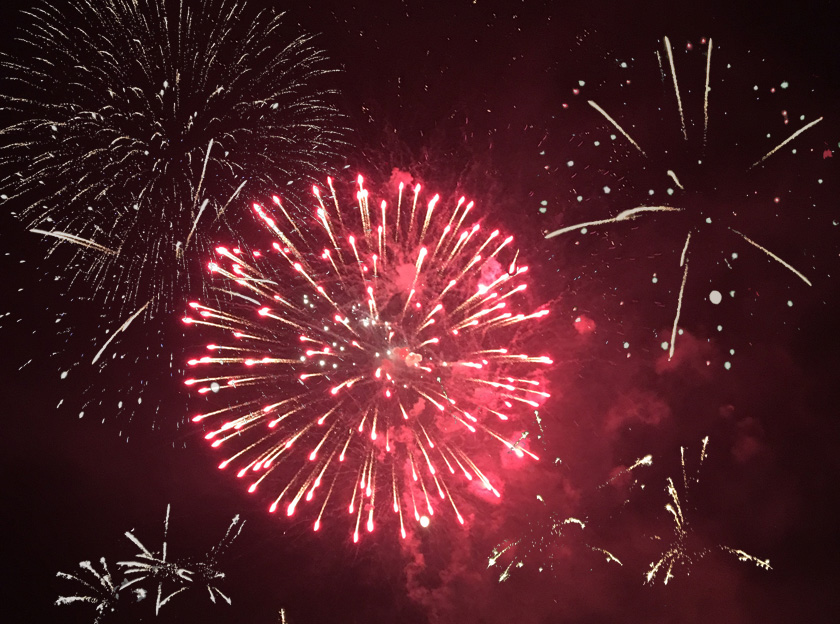
fire works

Order $200 or more and save, save, save with 25% Off and Free Shipping on all papers and sizes through our Direct-to-Print service. You can choose from photo and fine art papers from Ilford, Hahnemühle or our real silver gelatin DSI Digital Silver Prints® fiber base and RC.

When ordering use Promo Code: FIRECRACKER
Hurry sale ends at midnight ET – Sunday 4/7/24
Order Prints

*Direct-to-Print service only, does not apply to custom printing. You must order $200 or more in printing services. Free shipping in the USA only. Discount and free shipping applies to prints only. Framing, print hangers, mounting and matting excluded from promotion.


Help spread the word!

Filed Under: Uncategorized

Digital Silver Imaging’s Video Resources

June 28, 2024 by Andrea

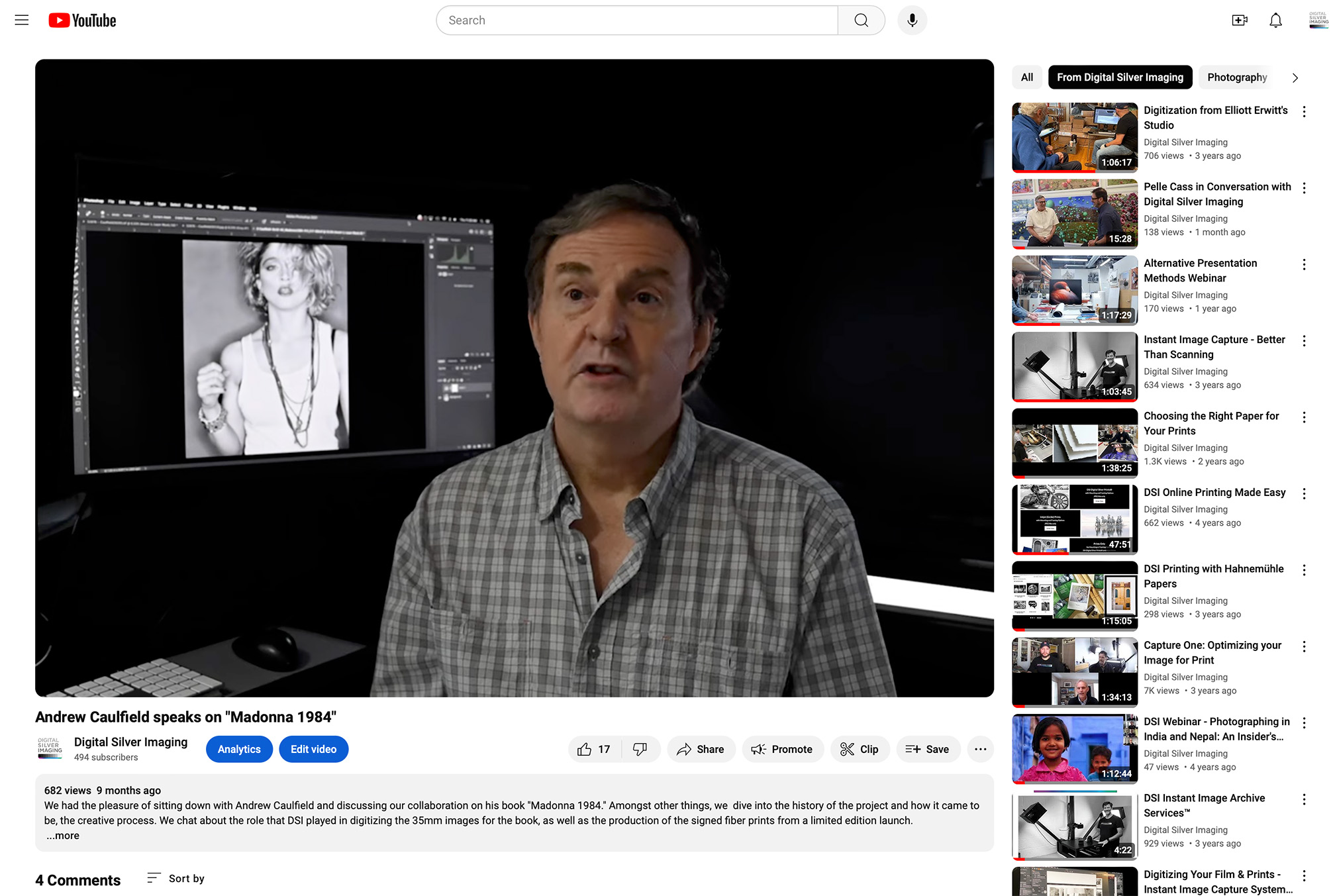
screen capture of andy caufield discussing his madonna photo from 1984

Did you know that we have a YouTube Channel with over 40 educational and informative photography videos? Our videos cover a variety of how-to and photography based topics, from preparing your files for print, to webinars with noted photographers. You can find the Digital Silver imaging channel by following this link.

Here is a brief list of some of our educational and informative content

Monitor Calibration with Calibrite’s Brenda Hipsher

Andrew Caulfield Interview – “Madonna 1984” Photo Shoot and Book

Mike Mezeul II – Post Production – Taking Your Photos to the Next Level

Choosing the Right Paper for Your Prints

Hanging a frame with a French Cleat

Digitization from Elliott Erwitt’s Studio (Digitizing Elliott’s Archive)

The Art of Underwater Photography with Jake Stout

Converting Your Image to B&W

Photographing in India and Nepal: An Insider’s Guide with Craig Semetko and Roro La Velle

Alternative Presentation Methods for Photo Prints

We also partner with other organizations like the Social Documentary Network (SDN) to sponsor webinars discussing relevant issues in photography today. You can find their video archive by following this link.

Here is a brief list of SDN content sponsored by Digital Silver Imaging

Women Changing the Face of Documentary Photography

Sustainable Solutions: Documentary Photographers Explore the Climate Crisis

Documentary Matters: America Issue Part I

Documentary Matters: America Issue Part II

Matilde Simas talking about human trafficking and “Philippines: Girls as a Commodity”

Update from the War in Ukraine

“From Tulsa to Minneapolis: Photographing the Long Road to Justice”

Join our DSIeNews list to receive notifications of future webinars and promotions. Scroll to bottom of page to join.

Help spread the word!

Filed Under: Case Studies, DSI-News, General News Tagged With: sdn, video resources, youtube

Through Their Lens – Personal Projects by Veterans

January 4, 2024 by Andrea

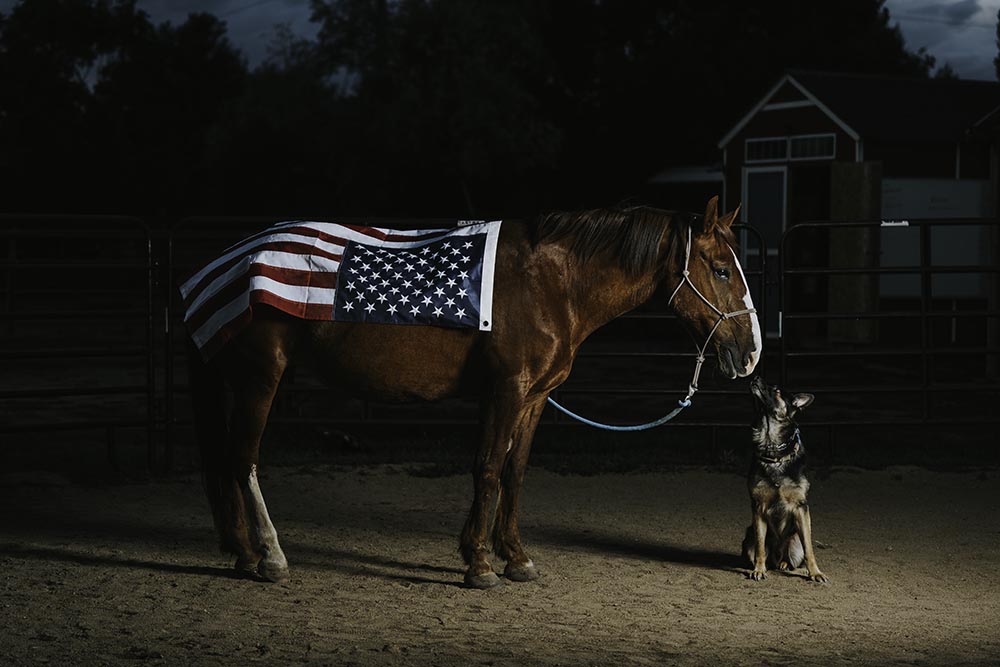
Jason Alfaro (Thornton, CO) | Project Title: SantosInstagram - @righteye_media
Jason Alfaro (Thornton, CO)
Project Title: Santos
Instagram – @righteye_media

Digital Silver imaging is proud to support Through Their Lens – Personal Projects by Veterans, an exhibition and ongoing photographic education initiative by the Colorado Photographic Art Center in Denver.

This program provides six months of advanced photographic education to participants free of charge. Since the program launched in 2017, 60 local Veterans have graduated.

Starting January 13th, 2024 come see the largest showing of Veterans’ photography CPAC has ever presented, including photographs by 10 artists in the current class and 17 alumni. You can meet exhibiting artists at a free Opening Reception Saturday 1/13, 5 – 8 PM. Free and open to the Public.


Robert Grimmer (Laporte, CO)Project Title: Saving Ukraine: Medics of the Zero Line Instagram: @robertgrimmerphoto
Robert Grimmer (Laporte, CO)
Project Title: Saving Ukraine: Medics of the Zero Line
Instagram: @robertgrimmerphoto

Launched in August 2017, the Colorado Photographic Arts Center’s annual Veterans Workshop Series gives local military Veterans with a passion for photography access to advanced photographic education free of charge. Since we and our partners launched the program seven years ago, 60 local Veterans have graduated.   

Over the past six months, participants learned to refine technical skills, hone ideas into a body of work, create a portfolio, and write about their artistic practice. For the first time, Veterans attended the program in CPAC’s new facility at 1200 Lincoln Street and enjoyed the benefits of learning in a dedicated, state-of-the-art classroom. Their final projects will be shown to the community through an exhibition from January 12 – February 17, 2024. 

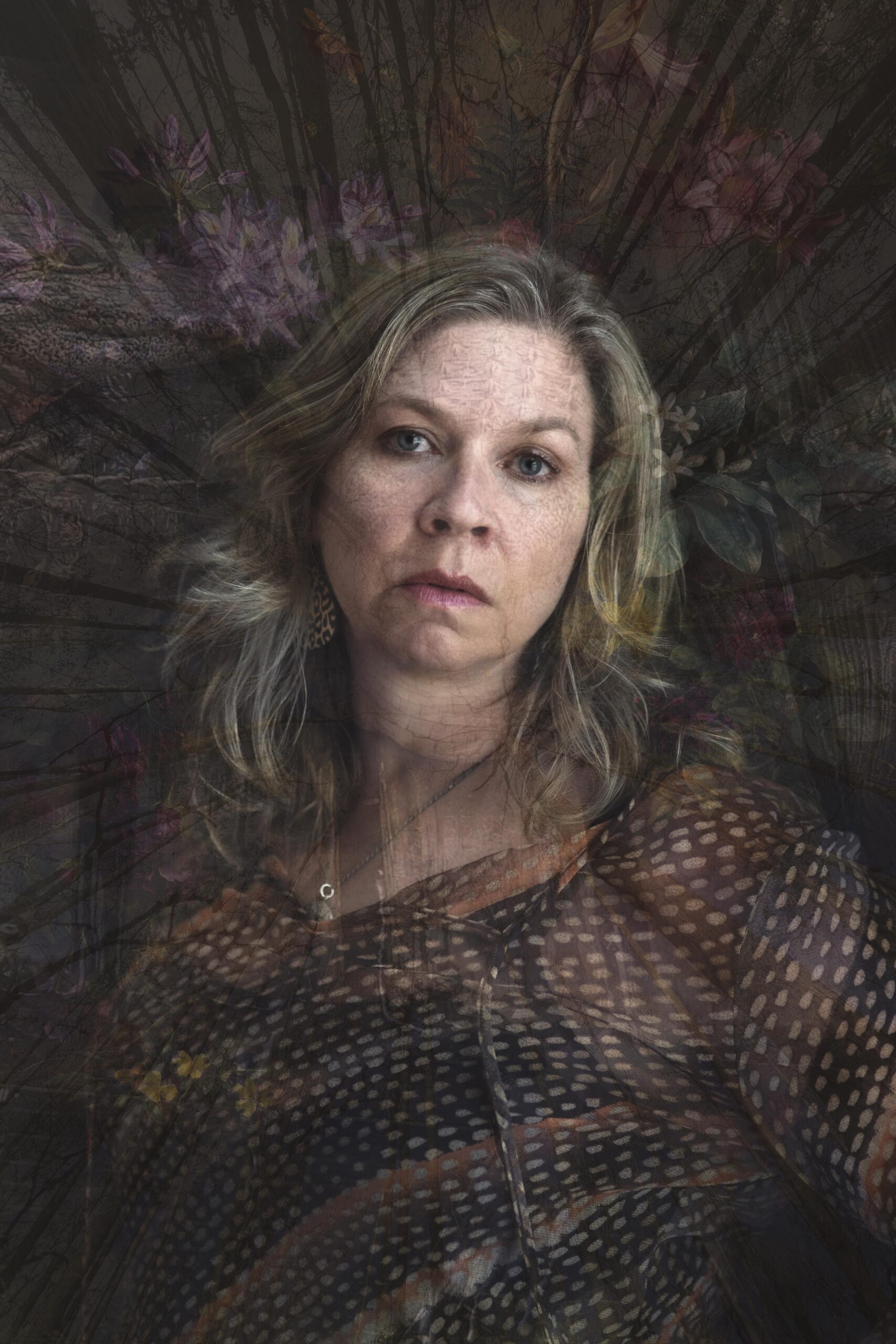
Each artist was asked to consider a personal project and to explore a narrative that goes beyond a single frame. The result is a broad range of subject matter, because each project is a deeply personal expression of the individual. For example, Cherie Sutton’s layered self-portraits explore her experience with aging combined with her multifaceted personality and lifestyle. Jason Alfaro’s portrait series of his friend Santos, a former Marine and Green Beret, underscores the transformative power of relationships, whether with the land, animals, or one another.  

As a mentor to the artists throughout this rigorous program, I have seen tremendous growth and development of each artist’s project. It has been an honor to work closely with them, hear their stories, and try to see the world through their eyes. 

– Samantha Johnston 

Executive Director & Curator, Colorado Photographic Arts Center


Cherie Sutton (Littleton)Project Title: Fleeting Beauty Facebook: Cherie_Sutton_Photography
Cherie Sutton (Littleton)
Project Title: Fleeting Beauty
Facebook: Cherie_Sutton_Photography
Help spread the word!

Filed Under: DSI-News, News, Promotion Tagged With: CPAC, Personal Projects by Veterans

How to Create an Archive of your Creative Work

June 8, 2023 by Andrea

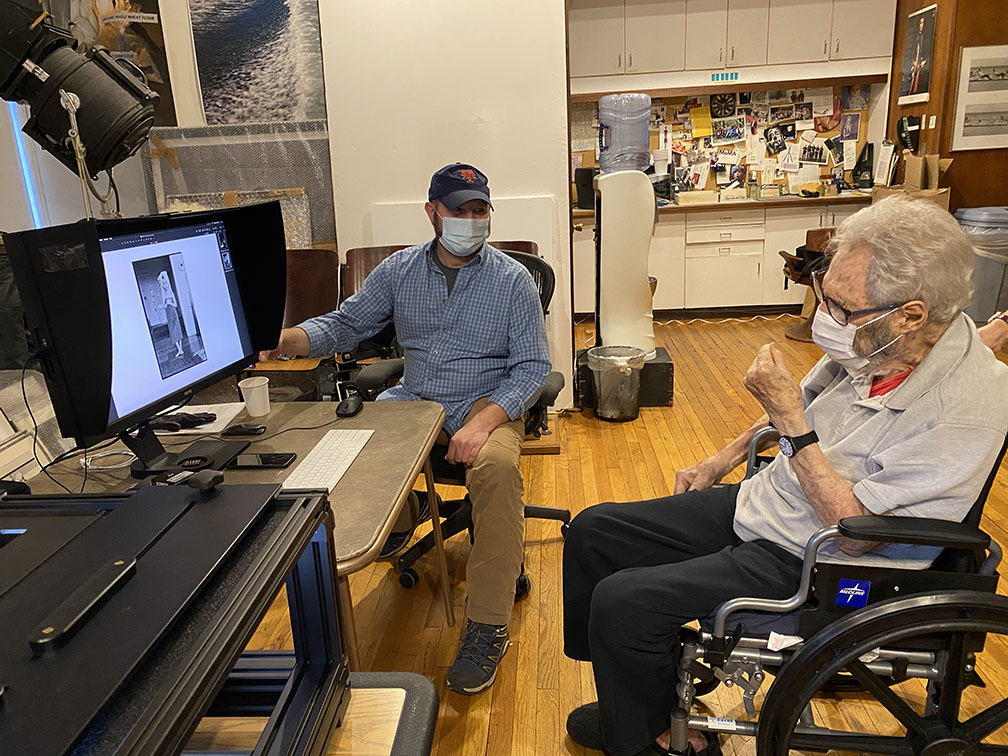
Scott Nidermaier and Elliot Erwitt review a digitally captured image
DSI’s Scott Nidermaier and Elliot Erwitt review digital captures of his archive.

Create an archive of your creative work – Organizing and digitizing your art doesn’t need to be a daunting task. By following some simple steps this process becomes easily achievable. Most artists/photographers have had the experience of looking at the masses of work produced over a career and wondered where to begin? This post will answer that question with an easy process.

As a creator of images a good exercise is to ask yourself how would I characterize my most important work? Was my body of work created primarily on an assignment basis, like an editorial photographer? Am I a fine artist that created work for exhibition and sale? Am I documentarian whose work is centered around a theme or story? By the way you could also be the documentarian of your family or organization. 

The process of self identifying who you are as an artist/photographer will greatly assist you in the editing process. For example, if you are a fine art photographer that has an extensive body of black and white portrait photography you can easily eliminate all those color slides from your trip to Yosemite. Start by selecting work for your archive that is closest to the core of how you identify yourself as an artist/photographer.

The key is to start the archiving process with a clearly defined purpose. In the previous example those vacation slides  didn’t make the edit. However they maybe included in a smaller archive you create later specifically for your own edification, but for now stick to primary objective and ignore the rest.

The Steps

1. Make a Schedule with Deadlines

Get out the calendar and set up concrete dates. Just saying that you are going to devote a day, a week, or some weekends won’t get it done. Be specific and set a date for specific goals.  For example: collect all materials in one location by June 3, compile best materials by June 22, set up appointment for digitization with Digital Silver Imaging by June 23, add supporting materials to existing work to be digitized by July 12, etc. Don’t get side tracked. You need to resist the temptation to make this a stroll down memory lane. You have a job to do, now get going.

2. The Best First

Begin with your best work. Start by Identifying the film and any prints of that work.  Why the prints? The print maybe the most archival medium in your archive. The print also shows how you interpreted the image. This even applies to an image that was created digitally.

3. Series and Stories

Identify the work by story, project, body of work. For example if you are a journalist, identify the stories you worked on and start with the most important (as you perceive it) and don’t neglect supporting images or documents. For the fine artist use the same approach. For example if your fine art work has had thematic connections or subjects use that as a starting point. 

4. You Don’t Need to Archive Everything

We are awash in images. Your archive does not need to have every analog asset digitized (see step 2). By all means make sure that your film and art are properly stored but making selections is key to the process. If you are a commercial artist quickly put aside jobs you completed to pay the bills.

Photographers use their cameras as a way to see the world so most shoot continuously. Unless it is part of your best work, or an important project, skip over the images from family, trips, events that are not related to your best work. The exception is an archive created specifically to document your family, even in this case you do not need to archive 20 images from that family picnic in 1972.

Documentation, Keywords, Metadata

Trying to complete all the documentation before you begin the digitization process is a monumental mistake in most cases. Film is not the most archival medium, and even black and white film often starts to deteriorate in as little as a decade. You can always add the documentation, keywords, and metadata after the film, prints and artwork have been digitized.

The discussion of documentation can fill volumes. Again consider what is the most important and relevant information in relation to the nature of your archive. The one thing that is always required is a creation date and a title. A title can be as simple as a single name or a dozen or more identifying words. 

Keywords and metadata not only identify your digital files but they also make your archive searchable. These issues become very important if you plan on selling images online and you need a large searchable archive as stock photography. Included below is a link to an article on understanding metadata to continue your research further.

The bottom line is digitize first, add data second. Included with this post are some useful links including the Photographic Information Record Form or PIR. This is a standard form that many museums and photo archives use to provide background and historical data on an image. The PIR is in PDF format so it can be completed and stored digitally with your archive.

Storing Your Digitized Archive

The one thing you can count on is that your hard drive will eventually fail. That is why it is essential that your archive be replicated and stored in at least two geographically separate locations. In many cases it is also useful to consider an online storage solution in addition to your hard drives. 

Companies like Drawbridge Digital offer sophisticated storage and access solutions for digital archives. A provider like Drawbridge Digital can make your archive searchable, provide access permission, and redundant backups. Even simple cloud storage is better than no off-site storage at all.

Summary

Like any task if you break it down into reasonable steps it becomes achievable. The caveat is don’t delay! You can always add more to your archive once you’ve digitized your best work. If you want more information on the digitization process please watch our video and don’t hesitate to contact us with your questions.

Useful Links

Photographic Information Record Form (PIR)

https://www.culturalheritage.org/membership/groups-and-networks/photographic-materials-group/publications/photographic-information-record

Drawbridge Digital

https://drawbridgedigital.com/

Understanding Metadata for Photographers
https://www.pixpa.com/blog/photo-metadata

Appraiser’s Association (Find an appraiser to value your archive)
https://www.appraisersassociation.org/index.cfm

Help spread the word!

Filed Under: Uncategorized Tagged With: archive, create an archive, digitization

Art Reproduction Basics: Reproducing Colors Accurately

February 6, 2023 by Andrea

Making good color reproductions of artwork takes excellent equipment, the appropriate software, skill and a knowledge of how color is rendered in each step of the digitization process. This post will help you understand why certain colors and/or elements of artwork reproduce well or poorly using the best available methods of professional digital technology and Inkjet/giclée printing. Make sure you read all the way to the bottom where there are several useful FAQs.

What is my color gamut?

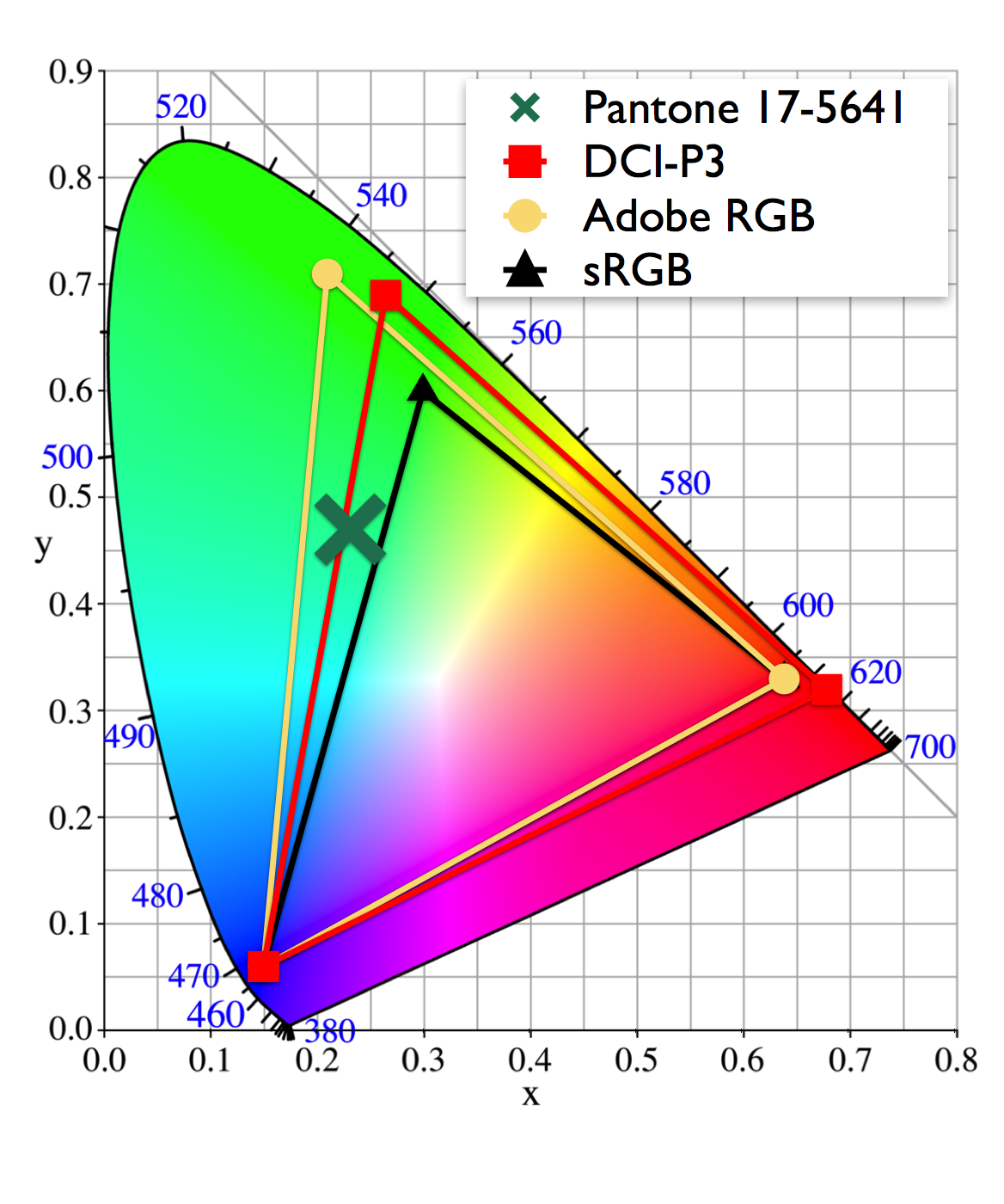
First an understanding of color space or COLOR GAMUT is necessary. Think of color gamut as the palette of paints that you have available to create your artwork. For example, if you paint with oils you might paint with a limited palette: Cadmium Yellow, Alizarin Crimson, Cadmium Red, Cerulean Blue, Cobalt Blue and Titanium White. These colors when mixed can create every color including greens, purples, oranges, etc., giving you all colors but perhaps not the range or intensity you desire. If you add paint colors to expand your palette such as Viridian Green and Dioxazine Purple you expand the greens, purples and other colors you can mix, giving you more greens and purples to work with. So to continue this metaphor you have expanded your color gamut, your palette, to include a wider and more varied choice of color options. Simply stated, a color gamut is the variety and range of colors available.

In digitizing artwork the goal is to create a reproduction that gives the best representation of the original. The goal is to create a reproduction where all the color relationships are precise and the overall effect is color accurate. To do this each step in the digitization and printing process must capture the maximum amount of information and correctly translate that information. In an ideal world everything falls within the same color gamut.

Color Gamut by Device

It is important to understand that everything in the reproduction process has its own color gamut, the digitization camera/scanner, the computer monitor, the software, and the printer. For example, the camera in your phone utilizes a much smaller color gamut to capture an image than does a professional digital camera. So if you photograph your artwork with your phone you start with a small color gamut, that lost color information cannot be added back accurately later in the process. Also software like simple image preview software, and browsers like Chrome also use a much smaller color gamut than Adobe Photoshop or Adobe Lightroom. The images you take with your phone and upload to Instagram may look good in the uniformly limited color gamut of the internet, but they are not an accurate record of your artwork or ideal for accurate print reproduction.

A large color gamut is important because If a color in your piece of artwork falls outside the color gamut of either the digitization device (camera/scanner), or printer, that color will reproduce as the closest color in the gamut. That is why you want every device in the process to capture or reproduce the largest color gamut possible. At Digital Silver Imaging our inkjet/giclée printers use 11 pigment inks plus a chroma optimizer to print an extensive color gamut rendering the most accurate color possible. The average office or home printer typically uses 4 inks for a very small gamut.

Making the best reproduction of your art

So color reproduction is not as simple as clicking a button. The entire reproduction process must be designed and operated for color accuracy. Can you make color accurate reproductions in your own studio or home? Of course, but it takes the equipment and technical knowledge to make it all work.

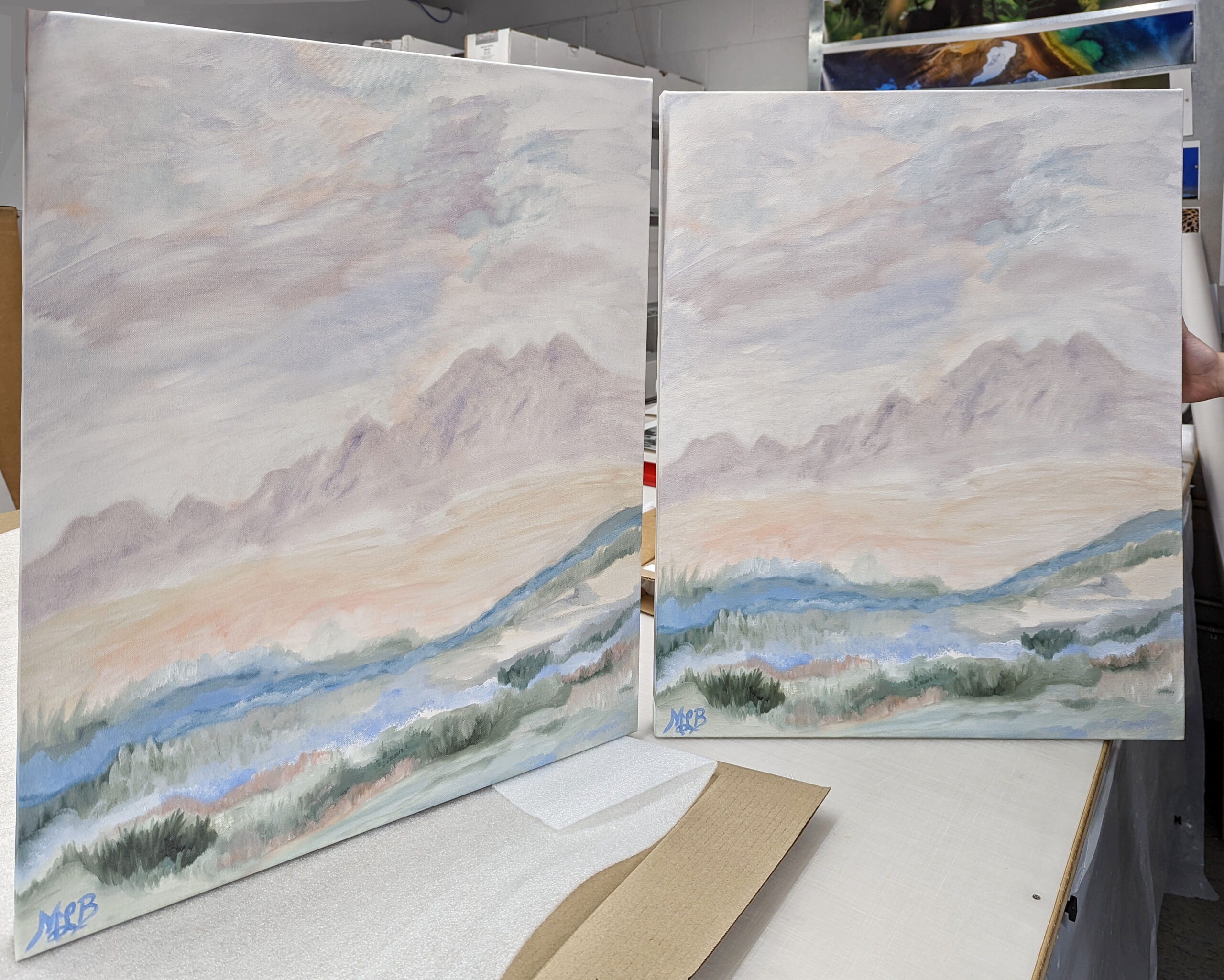
Original painting and printed reproduction

We digitize your work using an ultra-high resolution Phase One camera, or full frame DSLR for large format work, and flat field lenses designed specifically for reproduction. We use Digital Heritage Capture One software, calibrated monitors, color accurate light sources, and Calibrite Color Checkers. Every step in our process has been designed to reproduce the most accurate color possible. The final step involves our expert staff that examines and makes those subtle changes that no software can.

FAQs

Can I choose the paper my reproduction is printed on?

Absolutely! We offer a wide variety of papers in many different surfaces. From ultra gloss to flat matte, to watercolor, and canvas. The paper you choose is an important part of the process. We offer papers from Canson, Hahnemühle, and Ilford.

Can I do my own digital capture and have you print it?

Yes. To get the best results please use a high quality digital camera, preferably one that has the ability to capture images in RAW format. Use a calibrated computer monitor to make any adjustments to your digital file and work in AdobeRGB color space. 

Can you print from images I made with my iPhone/Smart Phone?

We can but because of the internal software in your phone, and the color space (gamut) used by phones it is difficult at times to make an accurate color reproduction. We ask that you don’t expect perfect color from a photo made with a phone.

Will the print paper I choose affect the color of my reproduction?

Yes. Different papers have slightly different base colors. In the world of paper different base colors are referred to as cool base, neutral or bright, and warm base (off-white to cream). Your base color slightly impacts all the color and white space in your print.

Can digital capture or Inkjet/giclée prints reproduce fluorescent or metallic paints and pigments?  

Fluorescent or metallic paints use UV light and reflection to create more brilliance. In these situations some additional post production time maybe required to produce an image with increased saturation to approximate the feel of a fluorescent color. Metallics present the challenge of reflections, which are difficult to approximate. See our staff for specifics on your artwork.

What to you charge for your services?

Art reproduction

Value Prints

Custom Prints

Help spread the word!

Filed Under: DSI Product Information, DSI-News Tagged With: art reprodution, color gumut, digitization

  • « Go to Previous Page
  • Page 1
  • Page 2
  • Page 3
  • Page 4
  • Page 5
  • Go to Next Page »

Primary Sidebar

Categories

  • Case Studies (9)
  • Customer Profile (14)
  • DSI Product Information (11)
  • DSI-News (14)
  • Events (29)
  • General News (37)
  • General News>Friends of Digital Silver Imaging (4)
  • Interview (3)
  • News (57)
  • Promotion (13)
  • Reviews (3)
  • The Griffin Museum at Digital Silver Imaging (6)
  • Uncategorized (167)
  • Workshops (35)
  • z15 (1)

Digital Silver Imaging

9 Brighton Street
Belmont, MA 02478
617-489-0035
email us
map and directions
shipping info
Hours: 9–5:30 Monday–Friday

  • Facebook
  • Instagram
  • RSS
  • Twitter
  • YouTube

Footer

Digital Silver Imaging

9 Brighton Street
Belmont, MA 02478
617-489-0035
email us
map and directions
shipping info
Hours: 9–5:30 Monday–Friday

Sign Up for DSI-eNews

We'll send you a discount code you can use in your first order and occasional emails to inform you of new services, promotions and events.

  • This field is for validation purposes and should be left unchanged.

Follow DSI

  • Facebook
  • Instagram
  • RSS
  • YouTube

All content © 2026 Digital Silver Imaging · Privacy Policy · powered by WordPress · web design by smallfish-design