• Skip to primary navigation
  • Skip to main content
  • Skip to primary sidebar
  • Skip to footer
Digital Silver Imaging Logo

Digitalsilverimaging

The Fine Art of Printing in a Digital World

  • Order Now
    • Direct-to-Print
    • Value Prints
    • Custom Print Upload
  • Prints
    • DSI Digital Silver Prints®
    • Inkjet/Giclée Prints
    • Direct-to-Print Service
    • Value Prints
    • Try Us - Print Sample Promotion
    • Aluma Mounts
  • Digitize
    • Scanning & Retouching Services
    • Art Reproduction & Giclee Printing
  • Frame & Finish
    • Print Mounting
    • Print Matting
    • Framing
    • Print Hangers
  • More
    • Consulting and Curation
    • About DSI
    • The DSI Team
    • DSI Blog
    • Frequently Asked Questions
    • DSI Swag
    • The Unbound Portfolio®
    • Close Out
  • Contact
  • Search

Uncategorized

Build a Portfolio That Gets Noticed 11/16

October 28, 2013 by Digital Silver Imaging

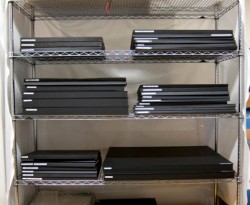
Portfolio storage Neal Rantoul
Portfolio Storage ©Neal Rantoul

Having had over 50 one-person exhibitions, photographer and educator Neal Rantoul knows how to effectively create and edit a body of work. In this day long workshop Neal will impart his expertise on how to take your work to the next level. He will give you the background on how to prepare for the presentation of your photography to curators, gallery and art directors. If you are ready to raise the bar on your photography and presentation this workshop is for you.

In the morning Neal will show various types of portfolios and will demostrate the importance of good printing, discuss the intended result and how best to achieve it. In the afternoon the group will look at each other’s portfolios and critique them from the perspective of how best to present your work.

Please, no iPad or computer-based presentations for this workshop.

Note: This workshop is intended to be helpful to participants in showing and understanding portfolios as a presentation vehicle.

Topics covered:
What should my portfolio look like?
• Appropriate size for your preferred medium
• Different portfolios for different audiences
• Adding an electronic options, online, iPad

Editing for impact
• How many images to include
• Showing diversity or one project
• New work versus old work

Creating an effective presentation
• Planning and executing a successful meeting
• Preparing your portfolio for portfolio reviews
• Work for purchase
• Work for exhibition
• Group shows and one-person exhibitions
• The all important follow up

 Marketing your portfolio
• Social Media
• Call for entries
• Publications

The workshop will conclude with a group review of all the participant’s portfolios. The group will be asked to come up with suggestions and improvements. This workshop will be limited to 15 participants and is an opportunity not to be missed.

Date:  Saturday, November 16, 10AM – 5PM, with a 1 hour lunch break

Building a Portfolio

Bio
Neal Rantoul is a career artist and educator. Rantoul’s work is extensively collected and is included in numerous prestigious collections such as the Boston Museum of Fine Arts, the Houston Museum of Fine Arts, the Kunsthaus in Zurich, the Biblioteque’ Nationale in Paris, the High Museum in Atlanta, to name only a few. He has received numerous awards and residencies including the Marion and Jasper Whiting Foundation grant, Lightwork and Hambidge Center for the Arts residencies, Visiting Artist at ICP’s Lake Como Workshop in Italy. Mr. Rantoul is the author of several books of his photographs, among those are : “American Series” published in 2006, “Cabela’s” published in 2009, “A Year” published in 2010, “Wheat” published in 2011, “Collections” published in 2011 and his most recent “Rock Sand Water”,  published in 2012. He has recently retired from 30 years as head of the Photo Program at Northeastern University in Boston and is currently devoting his efforts full time to making new pictures.

*Refund Policy: Because our instructors commit their time to workshops and space is limited, our refund policy is as follows: Cancellations 2 weeks prior to the workshop will receive a full refund. Cancellations a week before the workshop date will receive a 50% refund. All other cancellations will not receive a refund but may apply 50% of the workshop fee to a future workshop of the same or greater price. You must notify us of your cancellation or inability to attend via email. (info@digitalsilverimaging.com).

Help spread the word!

Filed Under: Uncategorized, Workshops

Lightroom 4 Library Module Intensive Workshop

April 23, 2013 by Digital Silver Imaging

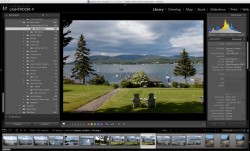
Lightroom Library ModuleIn this Library Module intensive, we will cover many of the features that make Lightroom 4 an exceptional Digital Asset Manager. Our purpose in teaching module specific workshops is to have each student learn features in depth and to leave the workshop with a true understanding of the how the program can enhance your workflow.

We will have time to practice each step in the process, so you will walk away with hands-on knowledge. We will cover the best workflow practices of importing, renaming, using the ratings and color system for organizing, keywording, as well as using presets to your advantage and the incredible power of Collections and Smart Collections.

We will also delve into the batch Export feature and learn how to make your own export presets to streamline your process. Learn how to seamlessly work between Lightroom and Photoshop.

Main topics covered:
• Import process
• Organizing – making a folder structure that works for you
• Renaming
• Presets
• Metadata and Keywording
• Using ratings and filters
• Compare and Survey modes
• Collections & Smart Collections
• Searching using filters – how to find anything!

Date: Saturday May 11, 2013
Time: 11-5 PM 
Location: Digital SIlver Imaging, 9 Brighton St. Belmont, MA 
Fee for this course is $149*

LR Library Mod

Certified_Expert_Photoshop_Lightroom_badgeKathy Tarantola

For over two decades, Kathy Tarantola has been sought after as a commercial and editorial photographer working throughout Boston and New England. Kathy is an experienced instructor having conducted photography workshops across the US and abroad. She is an Adobe Certified Expert in Lightroom a respected member of the photo community and has served as Co-president and board member of the New England chapter of the American Society of Media Photographers (ASMP).

*Refund Policy: Because our instructors commit their time to workshops and space is limited, our refund policy is as follows: Cancellations 2 weeks prior to the workshop will receive a full refund. Cancellations a week before the workshop date will receive a 50% refund. All other cancellations will not receive a refund but may apply 50% of the workshop fee to a future workshop of the same or greater price. You must notify us of your cancellation or inability to attend via email. (info@digitalsilverimaging.com).
Help spread the word!

Filed Under: News, Uncategorized, Workshops

Kickstarting Bigger Silver Gelatin Prints

April 22, 2013 by Digital Silver Imaging

©Jorg Meyer


We hear it all the time, “How large can you make a black & white silver gelatin print?” Today the answer is 20” wide; soon we will be able to say “big, really big.” Digital Silver Imaging has  contracted the construction of a one-of-a-kind black & white print processor. This monster will allow us to make large silver gelatin prints up to 48” wide on 50” paper.

To make this possible, a larger laser exposure unit, and a darkroom to house the equipment will be needed. A project of this scale requires some investment. We hope to finance this project through a variety of source including Kickstarter. For those that don’t know, Kickstarter is a website where you can fund a project like ours and in return receive “rewards” in the form of products, benefits and thanks. Kickstarter is a great way to help and get some cool stuff at a bargain price.

Our rewards include discounted black & white silver gelatin prints in a variety of sizes up to 48” wide. Other rewards include signed prints by photographers, Herbie Greene, David Beckerman, and Keith Johnson.

Some of the rewards include:

$28   – 8×10 Black & White Silver Gelatin FIber Print ($38 value)
$45   – 11×14 Black & White Silver Gelatin FIber Print ($68 value)
$75   – 16×20 Black & White Silver Gelatin FIber Print ($125 value)
$199 – 30X40 Black & White Silver Gelatin FIber Print ($399 value)

Keep real black & white silver gelatin prints alive and well by supporting our Kickstarter campaign. Find out more about our campaign by following this link.

Help spread the word!

Filed Under: Events, Promotion, Uncategorized

HDR Photography & B&W Photography with Nik Silver Efex Pro 2 Workshops

February 21, 2013 by Digital Silver Imaging

Beech Tree Forest ©2010 Stan GodwinTwo excellent workshops, taught by experienced instructor Stan Godwin on Saturday March 30. This is your opportunity to learn about two of the most popular trends in photography, High Dynamic Range (HDR) photography and digital black & white from an expert in the field.

High Dynamic Range (HDR) Photography

Stan will give an introduction to HDR imagery and a demonstration of HDR photography using either a DSLR or high end non-SLR digital camera. Participants should currently own a camera equipped with a ‘manual’ exposure mode or exposure bracketing to be able to produce HDR imagery. Instruction will be provided on exposure and image building using NIK’s HDR Efex Pro 2 software. This software can be used as an export from Lightroom, Photoshop, Aperture or as a standalone on the desktop. This class will be mostly a demonstration, however students are encouraged to bring their cameras and follow along to understand the proper settings. If time allows we will all try exposing an HDR image. A tripod is advised for the exposure test.

After this lecture you will have a working understanding of the technical and aesthetic uses of HDR imaging & Nik HDR Efex Pro 2 software. The Nik software used for this workshop is available as a FREE trial download at : Nik Software HDR

Date: Saturday, March 30, 10AM – 12PM
Place: Digital Silver Imaging, 9 Brighton Streeet, Belmont, MA 02478
Phone: 617.489.0035

The fee for this course is $60* per person, $50* each when purchase 2 or more. Space is limited

HDR Photography

Black & White Photography with Nik Silver Efex Pro 2

There are many ways to convert a digital file from color to B&W, but only one program gives you the best possible results. Work along with the instructor, Stan Godwin, participants will look at the conversion tools available to you in Silver Efex Pro 2 and how to use these tools for superior quality black & white images. While the demonstration will be working directly from Lightroom 4, the workshop is suitable for anyone working in Lightroom, Photoshop and Aperture or directly from the app on the desktop.  As part of the workshop, each student will be able to print an 11×14, real silver gelatin black & white image  ($12 value). Students should bring several files for conversion.

Participants are encouraged to bring a laptop (although not essential), and download the FREE trail version of Nik Silver Efex Pro 2. SEP trial version is available at this link: Nik Software SEP2.

Date: Saturday, March 30, 1PM – 4PM

Place: Digital Silver Imaging, 9 Brighton Streeet, Belmont, MA 02478

Phone: 617.489.0035

The fee for this course is $85* per person, $75* each when purchase 2 or more. Space is limited

Nik SEP 2

SPECIAL!

Purchase both workshops at Once for $130 per person, both for two or more only $110 per person!

Both Workshops

Stan Godwin Bio:

Stan taught photography and coordinated the photography program at Texas A&M University-Commerce (TAMU-C) where he was employed for 30 years. He was the lead for one of the first 5 digital photography programs at a US university. At retirement Stan was the Interim Head of the Art Department at TAMU-C.

Stan has taught over 120 workshops on Cape Cod and in Texas, Oklahoma, Nevada, California, Georgia, Louisiana and Florida and continues to shoot professionally and personally. Stan is a nationally recognized educator of Lightroom, HDR, RAW and Color Management and Profiling. His photographic work has been published in hundreds of magazines, newspapers and books over the last four decades. Stan holds the BFA from Rochester Institute of Technology and the MS from TAMU-C. Stan Godwin Photography Workshops can be found on the internet at www.stangodwin.com. Stan also owns Packet Galleries (www.packetgalleries.com) on Cape Cod featuring antiques, fine art and more.

*Refund Policy: Because our instructors commit their time to workshops and space is limited, our refund policy is as follows: Cancellations 2 weeks prior to the workshop will receive a full refund. Cancellations a week before the workshop date will receive a 50% refund. All other cancellations will not receive a refund but may apply 50% of the workshop fee to a future workshop of the same or greater price. You must notify us of your cancellation or inability to attend via email. (info@digitalsilverimaging.com).

Help spread the word!

Filed Under: News, Uncategorized, Workshops

Lightroom 101 Workshop 2/23

January 15, 2013 by Digital Silver Imaging

Lightroom is the essential software tool for any serious photographer. Come and learn the fundamentals of this incredibly powerful tool that many professionals have come to rely on.

Experienced instructor Kathy Tarantola will help guide you through the basics. This workshop will thoroughly cover the Library and Develop modules where you manage, keyword, edit and enhance your images. With hands-on practice, learn how to quickly and easily import, organize, edit, rate, and enhance your images, and how to work through large shoots efficiently with synchronized settings and presets. We will discuss how Photoshop will still fit in your workflow, and learn how to move between Lightroom and Photoshop easily.

We will take several images through the entire Develop workflow, reviewing tools as we go. Topics emphasized will be based on student needs. You will have time to practice with your own images, ask questions, and get feedback on your work.

Library Module
• Import process
• Organizing
• Renaming
• Presets
• Metadata and Keywording
• Using ratings and filters
• Collections
• Searching
• Exporting
• Mastering good workflow practices

Develop Module
• Evaluating photos and making creative decisions
• Perfecting tone and color in each photo
• Applying sharpening and noise reduction
• Correcting lens distortion & chromatic aberration
• Paintbrush/ Tools
• Using virtual copies
• Making great black and white conversions
• Presets
• Soft Proofing for printing

The class will also cover the basics of the Slideshow, Print and Web modules, all of which take your workflow to a professional conclusion.

No prior experience with Lightroom is necessary; however a working knowledge of computers is necessary for you to get the most from this workshop. A laptop computer loaded with the current version of Lightroom 4 is required. You can download a trial version at Adobe.com.

You will gain a fresh outlook on how to manage your workflow and process your digital images faster and with more precise control, as well as learning to quickly increase your creativity and output stunning images.

Time: Saturday, February 23, 11AM-5PM
Place: Digital Silver Imaging, 9 Brighton Street, Belmont, MA
The fee for this course is $149. Space is limited.

Lightroom 101

Help spread the word!

Filed Under: News, Uncategorized, Workshops

20×30 Poster Print for $25! Color or B&W

November 30, 2012 by Digital Silver Imaging

©Carl Stoveland

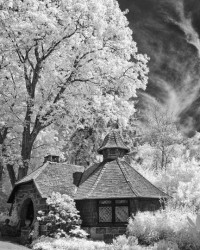
Welcome to Digital Silver Imaging! We give you two quality options for our $25 poster print special. The first is a Real Black & White silver gelatin  print made on light sensitive Ilford RC paper. We take your digital file and project it onto the photo paper then process it in liquid photo chemistry. For Color prints we make museum quality archival inkjet prints on Epson printers with genuine Epson HDR inks. The gold standard in color printing. If you’ve used our ROES direct-to-print service follow this link to upload your order(the ROES application works for B&W or Color orders) If you are new to Digital Silver Imaging and ROES just keep reading. Use Promo Code FBDEC12.

How to use our ROES Online Service
Our ROES app is very intuitive. We have outlined the process step-by-step below.

Step1

Step 1. Follow this link and download the free ROES Java script application. This app automates the ordering process so you get exactly what you want.

Step 2

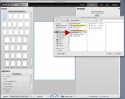
Step 2. Once you have downloaded and started the ROES app, click the “start ordering” button


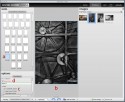
Step 3. Click the green “add images” button to import your images into ROES. You need to have your image(s) in a folder. Note: For best results images need to be between 260-300 ppi at actual size. JPEG format. We also recommend RGB color space for both black & white and color printing.

Step 3

Step 4. Select your image folder from your computer

Step 4

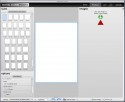
Step 5. When your images are in ROES, click on the size of the print you want (a), Drag the image you want to print into the image area (b), and click on the type of print (c), and enter your promo code if you have one (d).

Step 5

Once you are satisfied click “add to cart” ant the bottom of the screen. You can continue to process more images in the same way or proceed to “view cart” and check out.

Step 6

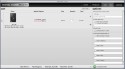
Step 6. In the “cart” window review your order. If you are making multiple prints they will all appear in this window. You can delete individual prints or all orders and start again if you want to make changes. You also have other options such as rush shipping, and alternative ship-to address if needed. Click “complete order” when you are satisfied.

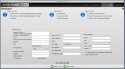
Step 7. In this window you will enter all your personal and payment information. Finish by clicking the green “place order” button to complete. You will receive email confirmation of your order. Done!

Step 7

Ready to order? Click Here

Offer expires 12/31/12


Help spread the word!

Filed Under: Promotion, Uncategorized

  • « Go to Previous Page
  • Page 1
  • Interim pages omitted …
  • Page 5
  • Page 6
  • Page 7
  • Page 8
  • Page 9
  • Interim pages omitted …
  • Page 28
  • Go to Next Page »

Primary Sidebar

Categories

  • Case Studies (9)
  • Customer Profile (14)
  • DSI Product Information (11)
  • DSI-News (14)
  • Events (29)
  • General News (37)
  • General News>Friends of Digital Silver Imaging (4)
  • Interview (3)
  • News (57)
  • Promotion (13)
  • Reviews (3)
  • The Griffin Museum at Digital Silver Imaging (6)
  • Uncategorized (167)
  • Workshops (35)
  • z15 (1)

Digital Silver Imaging

9 Brighton Street
Belmont, MA 02478
617-489-0035
email us
map and directions
shipping info
Hours: 9–5:30 Monday–Friday

  • Facebook
  • Instagram
  • RSS
  • Twitter
  • YouTube

Footer

Digital Silver Imaging

9 Brighton Street
Belmont, MA 02478
617-489-0035
email us
map and directions
shipping info
Hours: 9–5:30 Monday–Friday

Sign Up for DSI-eNews

We'll send you a discount code you can use in your first order and occasional emails to inform you of new services, promotions and events.

  • This field is for validation purposes and should be left unchanged.

Follow DSI

  • Facebook
  • Instagram
  • RSS
  • YouTube

All content © 2026 Digital Silver Imaging · Privacy Policy · powered by WordPress · web design by smallfish-design