• Skip to primary navigation
  • Skip to main content
  • Skip to primary sidebar
  • Skip to footer
Digital Silver Imaging Logo

Digitalsilverimaging

The Fine Art of Printing in a Digital World

  • Order Now
    • Direct-to-Print
    • Value Prints
    • Custom Print Upload
  • Prints
    • DSI Digital Silver Prints®
    • Inkjet/Giclée Prints
    • Direct-to-Print Service
    • Value Prints
    • Try Us - Print Sample Promotion
    • Aluma Mounts
  • Digitize
    • Scanning & Retouching Services
    • Art Reproduction & Giclee Printing
  • Frame & Finish
    • Print Mounting
    • Print Matting
    • Framing
    • Print Hangers
  • More
    • Consulting and Curation
    • About DSI
    • The DSI Team
    • DSI Blog
    • Frequently Asked Questions
    • DSI Swag
    • The Unbound Portfolio®
    • Close Out
  • Contact
  • Search

DSI Blog

Exporting Files for Print in Lightroom

December 13, 2016 by Digital Silver Imaging

Exporting files from Adobe Lightroom for printing is not always an intuitive process. We have put together this tutorial to show our customers how to export files to create the best prints possible using our services. To enlarge an image double click/right click on the image in the tutorial.

Lightroom CC

Step 1: In Lightroom select the image(s) you would like to export, then go to Menu>File and select Export

exporting from LR

Step 2: In the Settings select your file type (JPEG for our Direct-to-Print Service or TIF for our Custom Service) / Dimensions should be Full Size / Do not check Save Transparency or Add Watermark / For best quality do not check Compression / Metadata and Copyright settings are your choice / File Naming is your choice / Output Sharpening should be None (if your image needs sharpening apply it during your LR editting process) / Color Space > Adobe RGB


make selection of file type and color space Adobe RGB

Step 3: Click Export Photo button and the Export menu will appear. Select the destination for your exported files, we recommend creating a file for your exported files. Once the destination is select click the Export Photo button to finish. Upload exported file to Digital Silver Imaging.

select your destination photo

Step 5: Once finished exporting, your images will be in your selected folder and ready to upload/send to Digital Silver Imaging. You are now ready to upload your files to either our Direct-to-Print Service or our Custom Printing Service.


Lightroom Classic

Step 1: In Lightroom select the image(s) you would like to export, then in the Library module click Export or go to Menu>File and select Export

Step 2: In the Export Dialog Box after you choose the Export Location and file name you prefer scroll down to File Settings and select your file type (JPEG for our Direct-to-Print Service or TIF for our Custom Service) / Quality should be 100% / Do not check Limit File Size/  Color space should be Adobe 1998 


Step 3: scroll down to Image Sizing Here you can resize your image for print or if you are using our Custom Service you can leave that for us to do. Either way you should set your Resolution to 300 PPI 

Output Sharpening Leave unchecked, make all of your sharpening adjustments inside of Lightroom. Watermarking Do not check.


Step 4: Click export to finish, once exported locate the files in the export location you chose earlier and upload exported file to Digital Silver Imaging.
 

Help spread the word!

Filed Under: DSI Product Information Tagged With: Exporting from Lightroom, lightroom, Lightroom|Lightroom File Export

Ruddy Roye

December 8, 2016 by Digital Silver Imaging

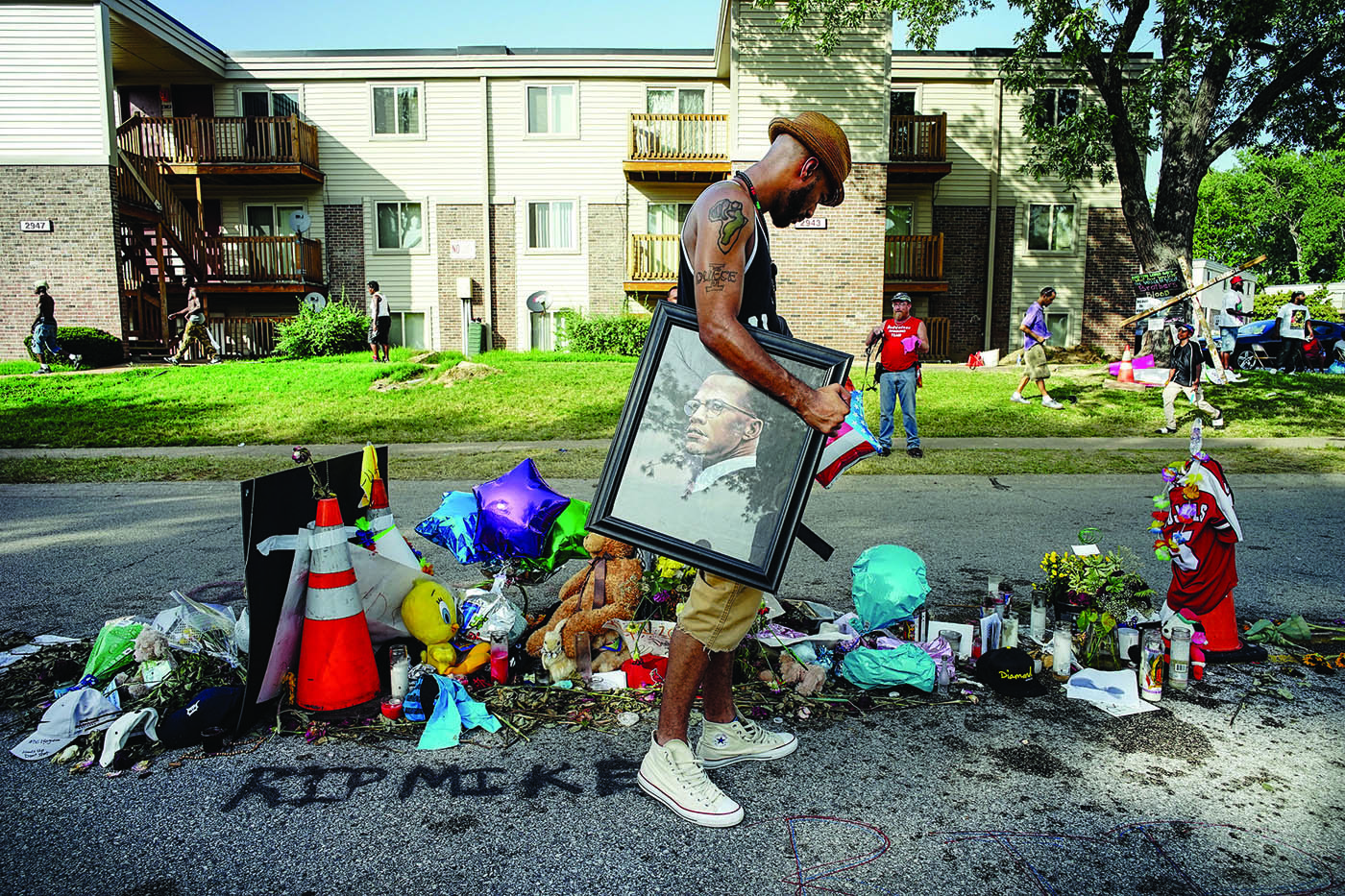
Ruddy Roye Image
©Ruddy Roye

Ruddy Roye and Digital Silver Imaging first collaborated at Photoville 2015. As a Photoville sponsor, we printed Roye’s exhibition, When Living is a Protest. This was the first time we had the pleasure of working with Roye and would begin a period of great achievement for this important artist.

Through the preliminary proofing process and production of  When Living is a Protest, both Roye and Digital Silver Imaging (DSI) understood that we could be good collaborators. At DSI we always strive to be a resource for our clients. Knowing that Ruddy often shot with a Leica, we introduced him to the good folks at Leica USA, who instantly took to his warm personality and great talent. Leica asked Roye to lead one of their prestigious Leica Akademie Workshops, which he did in Washington DC the following year.

Roye’s 2015 Photoville exhibition was noted as a “must see” by the New York Times, The Guardian, and many other reviewers. At that time Digital Silver Imaging was also making prints for photographer Thomas Roma, who was exhibiting at Steve Kasher Gallery in NYC. Kasher, one of the foremost experts in New York on civil rights era photography, connected with Roye through DSI and another exhibition resulted.

The exhibition at the Steven Kasher Gallery was Roye’s solo gallery debut. Digital Silver Imaging printed 20 large scale images on metallic paper. The combination of Roye’s colorful, sensitive and bold images were a challenge to print, but the resulting images are luminous and three dimensional due in part to the paper used. The gallery and Roye also had a flash sale of smaller, 8×8, prints also printed by DSI. Roye’s exhibition received accolades from reviewers and the public.

Along with Roye’s exhibition at Steven Kasher Gallery, his work again appeared at Photoville 2016 in a group exhibition by the collective Kamoinge. All the prints in the Kamoinge exhibition were made by Digital Silver Imaging. He was also a featured artist at the LOOK3 Festival of the Photograph.

At the time of this post Randolph “Ruddy” Roye continues to make great work and he was just selected as TIME’s Instagram Photographer of the Year. We’d like to congratulate Ruddy on his well deserved recognition. Working with Ruddy has been our privilege, and we hope to collaborate with him for years to come.

Help spread the word!

Filed Under: Customer Profile Tagged With: ruddy roye

Photoville 2016

August 19, 2016 by Digital Silver Imaging

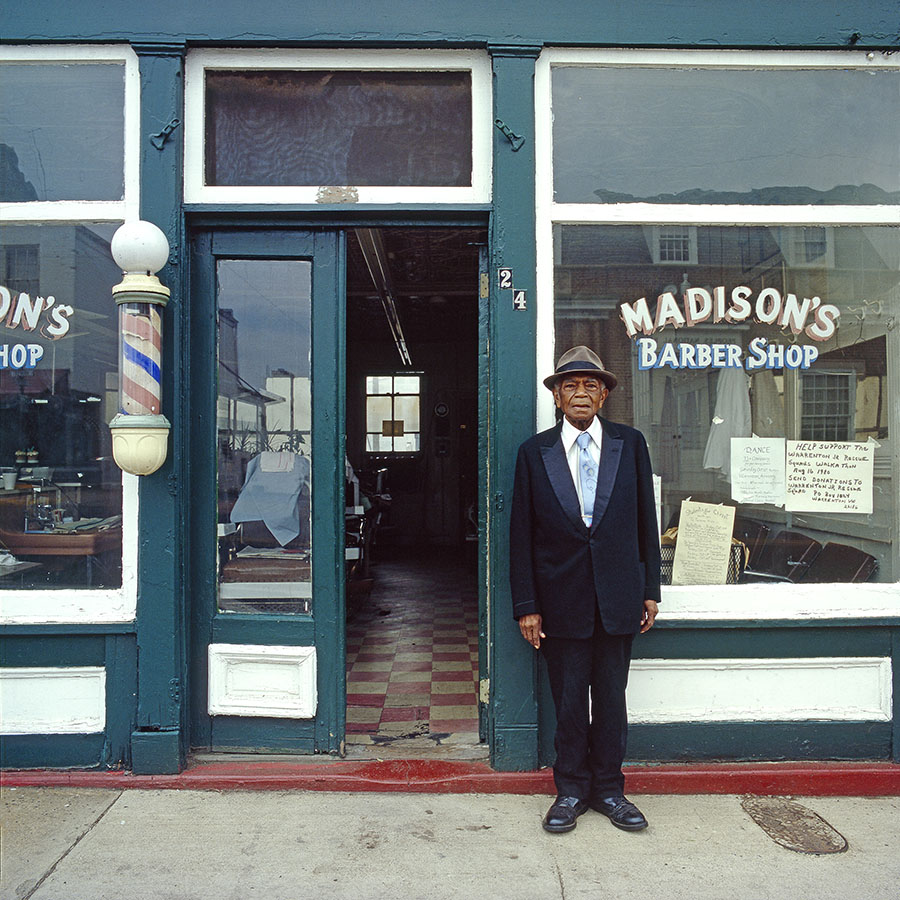
Kamoinge Exhibit - Photoville ©Charles Madison
Kamoinge Exhibit – Photoville ©Charles Madison

Digital Silver Imaging is proud to again be a partner at Photoville 2016. We also honored to print the exhibitions of photographers Mark Peterson, Robin de Puy, and group exhibits Kamoinge‘s Exhibition Breaking Point and Live ZEKE.

©Robin De Puy - Photoville
©Robin De Puy – Photoville

Photoville will be in a new location, The Brooklyn Bridge Plaza, under the bridge and in the heart of DUMBO. The event will take place over 5 days, September 21-25. Admission is FREE to the public.

For the uninitiated, Photoville is multiple photographic exhibitions in a city of repurposed shipping containers.  The brain child of United Photo Industries, this unique event features more than 60 photo exhibits, 35 lectures and workshops, food and drink. In fact it is the largest photographic event in New York City and worth a trip to Brooklyn.

Social Documentary Network/ZEKE Magazine ©Daro Sulakauri
SDN/ZEKE Magazine ©Daro Sulakauri

Digital Silver Imaging is a Major Partner of Photoville 2016. We believe that supporting the diverse genre of photographic work exhibited at Photoville is essential to keeping the art form vibrant and meaningful. Please visit the photographers directly support by Digital Silver Imaging and all the great exhibits at this year’s Photoville.

Follow this link to the Photoville Website

Help spread the word!

Filed Under: Events, News Tagged With: Breaking Point|Kamoinge|Mark Peterson|Photoville|Robin de Puy|SDN|ZEKE Magazine

Copyrights to Photography and Artwork

July 15, 2016 by Digital Silver Imaging

Photography and artwork are almost always protected by copyright laws. When we receive files for printing, we print the image in good faith and assume that the copyright for that image is held by the person submitting the image. However, if we believe that there is a question of ownership or permission we will ask for clarification. We will not print an image if we believe there is issue with copyright ownership.

To help better understand issues of copyright we spoke with Andrew D. (“Drew”) Epstein, a Boston based lawyer that specializes in copyright law.

Q. What is copyright and what does it do?

A. Virtually all creative works, photography, art, music, writing, computer software, produced since January 1, 1978, and many before, are protected by copyright.

Copyright is not a single right, but a bundle of rights that is controlled by the creator of the work. Generally the owner of copyright to the work has  the exclusive power to use, reproduce, or display their work(s).

Q. If I find an image on the internet or in a magazine can I make a print for myself, for my own personal use?

A. The answer is clearly NO. The publication of a work on the Internet or in a magazine does not give anyone the right to  reproduce the work without the artist’s permission.

A copyright owner has the exclusive right to do or authorize others to do the following with copyrighted works:

·         to reproduce the copyrighted work;
·         to made derivative copies of the work;
·         to distribute copies to the public;
·         to perform literary, musical, dramatic and choreographic works; and
·         to display copyrighted works publicly.

Q. What about the “fair use doctrine?”

A. Under the fair use doctrine, copyrighted works can be used for purposes such as criticism, comment, news reporting, teaching (including multiple copies for classroom use) scholarship or research.  In determining whether a particular use is a fair use in any particular case, you and the courts must consider the following four factors:

(1) The purpose and character of the use, including whether the use is for commercial or for nonprofit education purposes;
(2)  The nature of the copyrighted work;
(3) The amount and substantiality of the portion used in relation to the copyrighted work as a whole; and
(4) The effect of the use upon the potential market for or value of the copyrighted work.

Unless permitted under the fair use section of the Copyright Act, the reproduction of copyrighted photographs and artwork even for personal use is copyright infringement.

Q. How long does copyright last?
A. Generally, for works created after January 1, 1978, copyright lasts for the life of the author and for 70 years thereafter.  In case of joint works, the copyright expires 70 years after the death of the surviving joint author.

For anonymous or pseudonymous works, and for works made-for-hire, the copyright endures for 95 years from the year of its first publication, or for a term of 120 years from the year of its creation, whichever expires first.

After 95 years from the year of first publication of a work, or 120 years from the year of its creation, whichever expires first, there is a presumption that the author has been dead for at least 70 years.

For works created before January 1, 1978, which are not published or in the public domain, the rules are complicated and are beyond the scope of this commentary.

To find more information on art in the public domain follow this link.

This was written to be informational and not to be a substitute for competent legal advice.  Please use reason and good sense in reading and using the information herein.  If in doubt, go to a good lawyer for advice. 

Andrew D. (“Drew”) Epstein is a partner in the firm of Barker, Epstein & Loscocco, a full-service Boston, Massachusetts law firm. As an attorney and supporter of the arts, Drew has represented hundreds of photographers, illustrators, design firms, advertising agencies, museums and other individuals and businesses involved in photography, art, illustration, and imaging.

Drew is a member of the Board of Trustees of the Griffin Museum of Photography in Winchester, Massachusetts and has also served as President and Board Member at the Photographic Resource Center at Boston University.

Drew was an adjunct professor at Boston University for six years where he taught Legal Issues for Arts Administrators in the graduate school Arts Administration Program. Drew has been a frequent guest lecturer to academic, professional, business and legal groups on copyright and trademark law, art law and general business law. He writes frequently on copyright law, contract law and legal and business issues for photographers and artists. Drew was awarded the first annual Attorney of the Year Award by the Massachusetts Volunteer Lawyers for the Arts.

Help spread the word!

Filed Under: General News, Interview, News Tagged With: copyright|Drew Epstein|printing images from the internet

BLINK – Photo Exhibit, Sale, Party & Benefit

April 26, 2016 by Digital Silver Imaging

©Sharon White (Sharon will be exhibiting at Blink 2016)

Blink the photo exhibit sale, party & benefit for the Griffin Museum of Photography is back for the forth year. Invite a friend to join you at this fun 2 day event. Meet the photographers, listen to some great live music, sample the excellent wares of the Loading Dock Bistro .

• See 100 photographs by New England’s finest photographers
• A great value all photos for sale for $300 or LESS
• 10% to 100%* off all sales go to benefit the Griffin Museum of Photography
• Enjoy live contemporary and classic rock from The Sorry Honeys (Saturday 8-10PM)
• Food and drink served at the Saturday party

Make an evening or afternoon of this fun event. Additional food and drink also available for sale at The Loading Dock Bistro.

Exhibition Dates: Saturday May 21st 4-10PM & Sunday May 22nd 12-5PM
Libations & Snacks: Saturday 8-10PM
Live Music: Saturday 8PM – ? with The Sorry Honeys
Location: 9 Brighton Street, Belmont MA

*The photographer can choose to donate 10% or more of their print sale to the Griffin Museum of Photography.

Blink is sponsored by:
Sposor-logos-2016

griffin_logo

Help spread the word!

Filed Under: Events, General News Tagged With: Blink

Lightroom Output Series Workshop

April 11, 2016 by Digital Silver Imaging

Learn all about Lightroom Output: export, create books, slideshows, prints, and custom web galleries in this new workshop with Adobe Certified Expert, Kathy Tarantola.

Now that you have fabulous images, how do you share them with the world? Luckily, Lightroom gives you incredibly customized ways to output your images working in the various modules like Book, Slideshow, Print and Web.

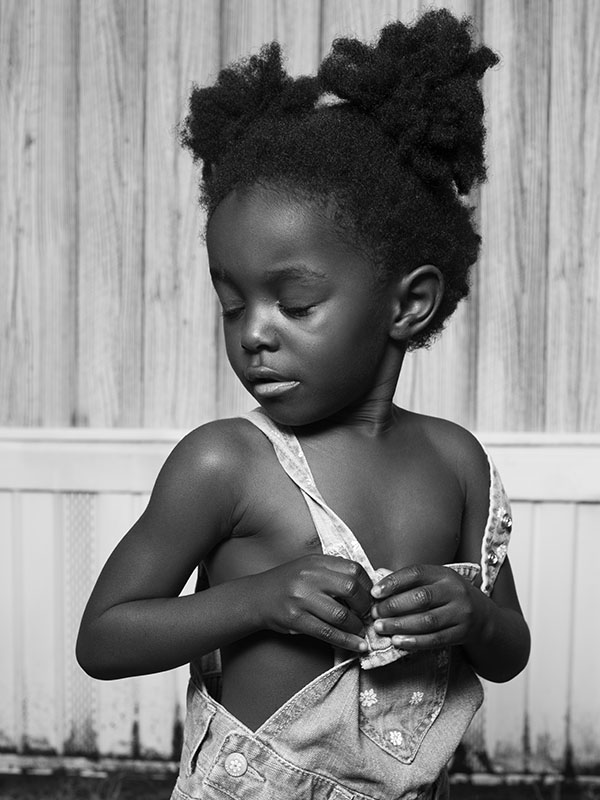
©Kathy Tarantola
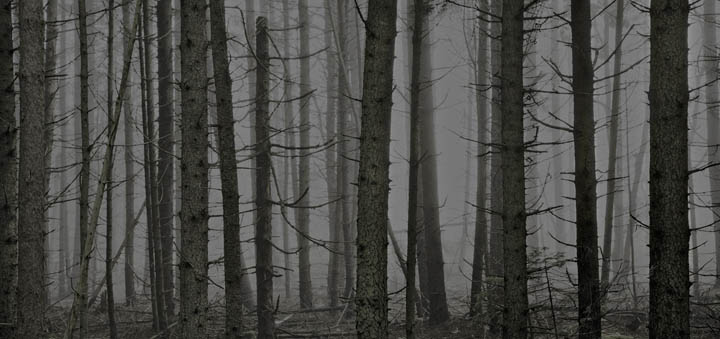
©Kathy Tarantola

There are so many options, that these Lightroom modules can be confusing. But once you begin to work with them, you will be delighted with the variations for creating your own custom output, whether it be a hardcover tabletop book, slideshow or gorgeous color corrected prints.

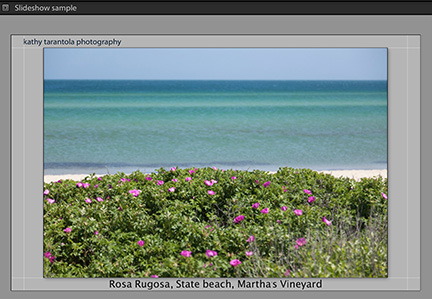
Web Slide Show ©Kathy Tarantola

Class One: Exporting and Slideshow Module Tuesday night May 10th 6:30-9:00 pm

Web size, print size, ppi, dpi, resolution, color space, compression, pixel dimensions – how to make sense of all of this?

You will come away from this first class of the Output Series understanding all of these options as well as learning how to watermark your images to put on the web, save export templates for these various output usages so that with the touch of a button you can export to the proper size and specs, and how to manage the workflow of exported images.

In addition we will spend time exploring the slideshow module to learn how to best create slideshows that are visually pleasing, using text overlays, background images, and creating and saving multiple slideshow templates.

Print Template ©Kathy Tarantola

Class Two: Print and Web Module, Tuesday night May 17th 6:30-9:00 pm

You can customize the Lightroom default print templates for various paper sizes, save them, and print directly from Lightroom utilizing custom paper profiles for the best reproduction on a variety of paper surfaces.

We will cover soft proofing in the Develop Module to get your images ready for the best color reproduction possible.

Even if you don’t have a printer at home, we will discuss how to properly export your images for file delivery to custom labs like DSI, with all of the settings imbedded in the file.

You will also be choosing 3 of your images to have printed at DSI. We will work on color correcting and soft proofing them using the correct paper profiles to ensure a stunning print.

Your prints will be ready by the final class for you to take home.

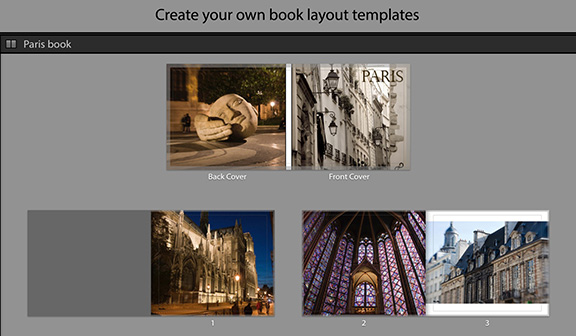
Book Template ©Kathy Tarantola

Class Three: Book Module, Tuesday night May 24th 6:30-9:00 pm

In this class we will work to create beautiful layouts for making a book from your photographs.  Creating a book can be as simple as letting auto layout do the work for you, or by using the various preset page layouts and text options, with minimal effort, you can tailor your book to suit your vision.

By the end of the evening, you should have the beginnings of a book design that you can save as a template to create a very fine book. Lightroom has partnered with Blurb custom publishing for simple ordering, or you can export your layout to a PDF or jpegs.

When: Tuesday Nights, 6:30-9:00, May 10, 17, 24
Where: Digital Silver Imaging, 9 Brighton Street, Belmont MA
Fee*: $249 (Includes 3 12×18 prints, a $72 value)

LR Output

Instructor Bio: For over two decades, Kathy Tarantola has been sought after as a commercial and editorial photographer working throughout Boston and New England. Kathy is an experienced instructor having conducted photography workshops across the US and abroad. She is an Adobe Certified Expert in Lightroom a respected member of the photo community and has served as Co-president and board member of the New England chapter of the American Society of Media Photographers (ASMP).

*Refund Policy: Because our instructors commit their time to workshops and space is limited, our refund policy is as follows: Cancellations 2 weeks prior to the workshop will receive a full refund. Cancellations a week before the workshop date will receive a 50% refund. All other cancellations will not receive a refund but may apply 50% of the workshop fee to a future workshop of the same or greater price. You must notify us of your cancellation or inability to attend via email. (info@digitalsilverimaging.com).


Help spread the word!

Filed Under: News, Promotion, Workshops

  • « Go to Previous Page
  • Page 1
  • Interim pages omitted …
  • Page 5
  • Page 6
  • Page 7
  • Page 8
  • Page 9
  • Interim pages omitted …
  • Page 46
  • Go to Next Page »

Primary Sidebar

Categories

  • Case Studies (9)
  • Customer Profile (14)
  • DSI Product Information (11)
  • DSI-News (14)
  • Events (29)
  • General News (37)
  • General News>Friends of Digital Silver Imaging (4)
  • Interview (3)
  • News (57)
  • Promotion (13)
  • Reviews (3)
  • The Griffin Museum at Digital Silver Imaging (6)
  • Uncategorized (167)
  • Workshops (35)
  • z15 (1)

Digital Silver Imaging

9 Brighton Street
Belmont, MA 02478
617-489-0035
email us
map and directions
shipping info
Hours: 9–5:30 Monday–Friday

  • Facebook
  • Instagram
  • RSS
  • Twitter
  • YouTube

Footer

Digital Silver Imaging

9 Brighton Street
Belmont, MA 02478
617-489-0035
email us
map and directions
shipping info
Hours: 9–5:30 Monday–Friday

Sign Up for DSI-eNews

We'll send you a discount code you can use in your first order and occasional emails to inform you of new services, promotions and events.

  • This field is for validation purposes and should be left unchanged.

Follow DSI

  • Facebook
  • Instagram
  • RSS
  • YouTube

All content © 2026 Digital Silver Imaging · Privacy Policy · powered by WordPress · web design by smallfish-design