• Skip to primary navigation
  • Skip to main content
  • Skip to primary sidebar
  • Skip to footer
Digital Silver Imaging Logo

Digitalsilverimaging

The Fine Art of Printing in a Digital World

  • Order Now
    • Direct-to-Print
    • Value Prints
    • Custom Print Upload
  • Prints
    • DSI Digital Silver Prints®
    • Inkjet/Giclée Prints
    • Direct-to-Print Service
    • Value Prints
    • Try Us - Print Sample Promotion
    • Aluma Mounts
  • Digitize
    • Scanning & Retouching Services
    • Art Reproduction & Giclee Printing
  • Frame & Finish
    • Print Mounting
    • Print Matting
    • Framing
    • Print Hangers
  • More
    • Consulting and Curation
    • About DSI
    • The DSI Team
    • DSI Blog
    • Frequently Asked Questions
    • DSI Swag
    • The Unbound Portfolio®
    • Close Out
  • Contact
  • Search

DSI Blog

Art Reproduction Basics: Reproducing Colors Accurately

February 6, 2023 by Andrea

Making good color reproductions of artwork takes excellent equipment, the appropriate software, skill and a knowledge of how color is rendered in each step of the digitization process. This post will help you understand why certain colors and/or elements of artwork reproduce well or poorly using the best available methods of professional digital technology and Inkjet/giclée printing. Make sure you read all the way to the bottom where there are several useful FAQs.

What is my color gamut?

First an understanding of color space or COLOR GAMUT is necessary. Think of color gamut as the palette of paints that you have available to create your artwork. For example, if you paint with oils you might paint with a limited palette: Cadmium Yellow, Alizarin Crimson, Cadmium Red, Cerulean Blue, Cobalt Blue and Titanium White. These colors when mixed can create every color including greens, purples, oranges, etc., giving you all colors but perhaps not the range or intensity you desire. If you add paint colors to expand your palette such as Viridian Green and Dioxazine Purple you expand the greens, purples and other colors you can mix, giving you more greens and purples to work with. So to continue this metaphor you have expanded your color gamut, your palette, to include a wider and more varied choice of color options. Simply stated, a color gamut is the variety and range of colors available.

In digitizing artwork the goal is to create a reproduction that gives the best representation of the original. The goal is to create a reproduction where all the color relationships are precise and the overall effect is color accurate. To do this each step in the digitization and printing process must capture the maximum amount of information and correctly translate that information. In an ideal world everything falls within the same color gamut.
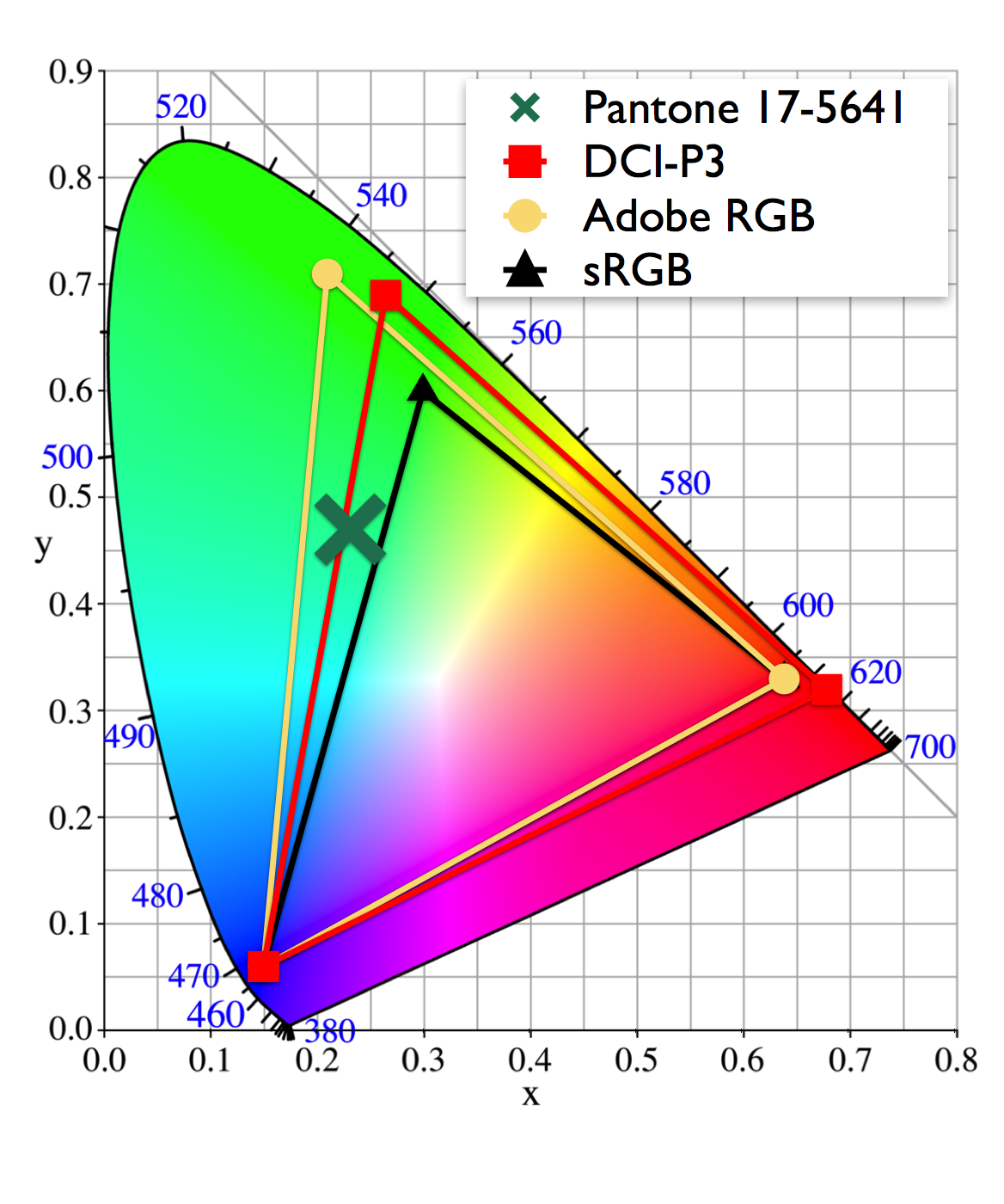
Color Gamut by Device

It is important to understand that everything in the reproduction process has its own color gamut, the digitization camera/scanner, the computer monitor, the software, and the printer. For example, the camera in your phone utilizes a much smaller color gamut to capture an image than does a professional digital camera. So if you photograph your artwork with your phone you start with a small color gamut, that lost color information cannot be added back accurately later in the process. Also software like simple image preview software, and browsers like Chrome also use a much smaller color gamut than Adobe Photoshop or Adobe Lightroom. The images you take with your phone and upload to Instagram may look good in the uniformly limited color gamut of the internet, but they are not an accurate record of your artwork or ideal for accurate print reproduction.

A large color gamut is important because If a color in your piece of artwork falls outside the color gamut of either the digitization device (camera/scanner), or printer, that color will reproduce as the closest color in the gamut. That is why you want every device in the process to capture or reproduce the largest color gamut possible. At Digital Silver Imaging our inkjet/giclée printers use 11 pigment inks plus a chroma optimizer to print an extensive color gamut rendering the most accurate color possible. The average office or home printer typically uses 4 inks for a very small gamut.

Making the best reproduction of your art

So color reproduction is not as simple as clicking a button. The entire reproduction process must be designed and operated for color accuracy. Can you make color accurate reproductions in your own studio or home? Of course, but it takes the equipment and technical knowledge to make it all work.
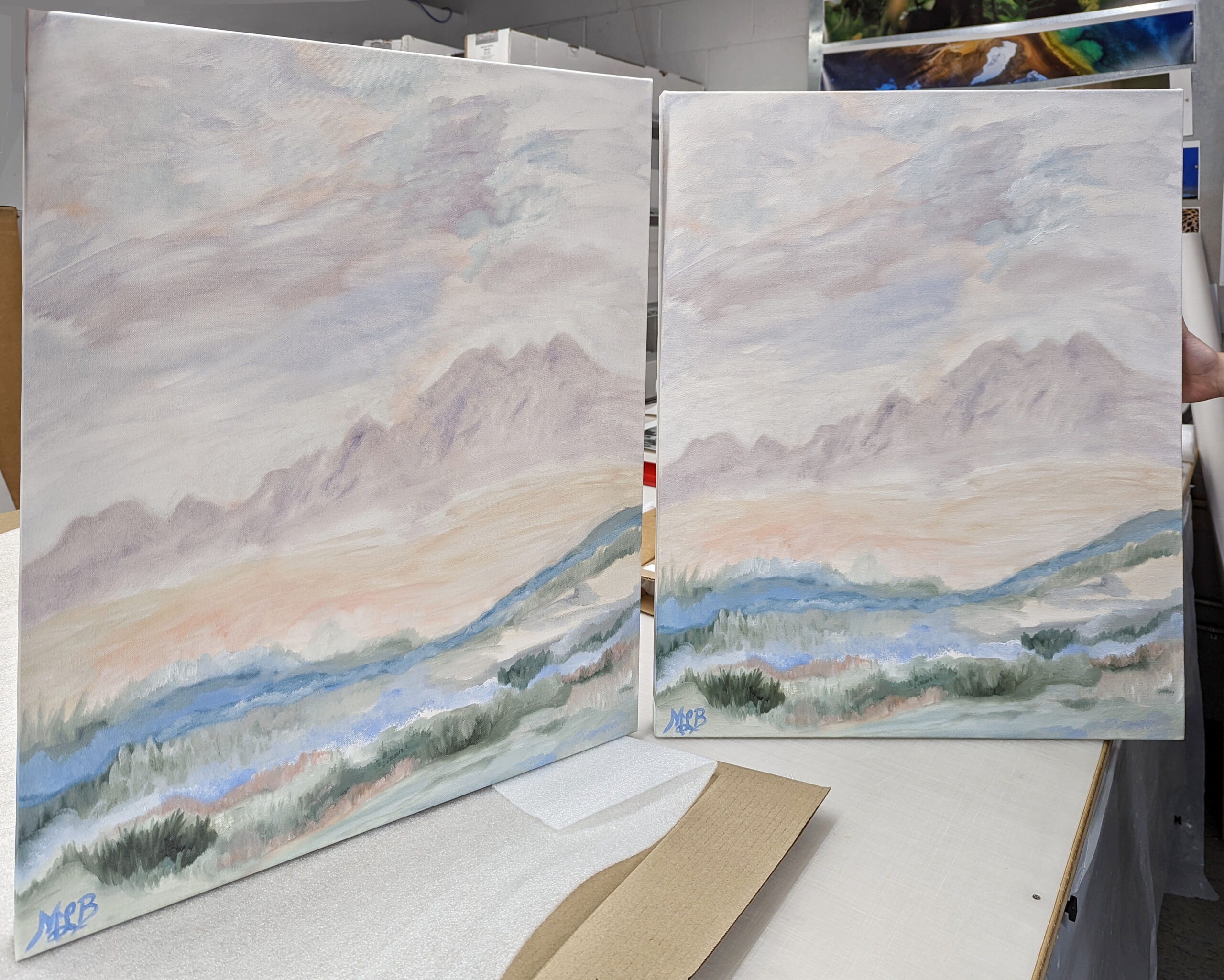
Original painting and printed reproduction

We digitize your work using an ultra-high resolution Phase One camera, or full frame DSLR for large format work, and flat field lenses designed specifically for reproduction. We use Digital Heritage Capture One software, calibrated monitors, color accurate light sources, and Calibrite Color Checkers. Every step in our process has been designed to reproduce the most accurate color possible. The final step involves our expert staff that examines and makes those subtle changes that no software can.

FAQs

Can I choose the paper my reproduction is printed on?

Absolutely! We offer a wide variety of papers in many different surfaces. From ultra gloss to flat matte, to watercolor, and canvas. The paper you choose is an important part of the process. We offer papers from Canson, Hahnemühle, and Ilford.

Can I do my own digital capture and have you print it?

Yes. To get the best results please use a high quality digital camera, preferably one that has the ability to capture images in RAW format. Use a calibrated computer monitor to make any adjustments to your digital file and work in AdobeRGB color space. 

Can you print from images I made with my iPhone/Smart Phone?

We can but because of the internal software in your phone, and the color space (gamut) used by phones it is difficult at times to make an accurate color reproduction. We ask that you don’t expect perfect color from a photo made with a phone.

Will the print paper I choose affect the color of my reproduction?

Yes. Different papers have slightly different base colors. In the world of paper different base colors are referred to as cool base, neutral or bright, and warm base (off-white to cream). Your base color slightly impacts all the color and white space in your print.

Can digital capture or Inkjet/giclée prints reproduce fluorescent or metallic paints and pigments?  

Fluorescent or metallic paints use UV light and reflection to create more brilliance. In these situations some additional post production time maybe required to produce an image with increased saturation to approximate the feel of a fluorescent color. Metallics present the challenge of reflections, which are difficult to approximate. See our staff for specifics on your artwork.

What to you charge for your services?
Art reproduction

Value Prints

Custom Prints

Help spread the word!

Filed Under: DSI Product Information, DSI-News Tagged With: art reprodution, color gumut, digitization

Better B&W Prints with Nik Silver Efex

May 25, 2022 by Andrea

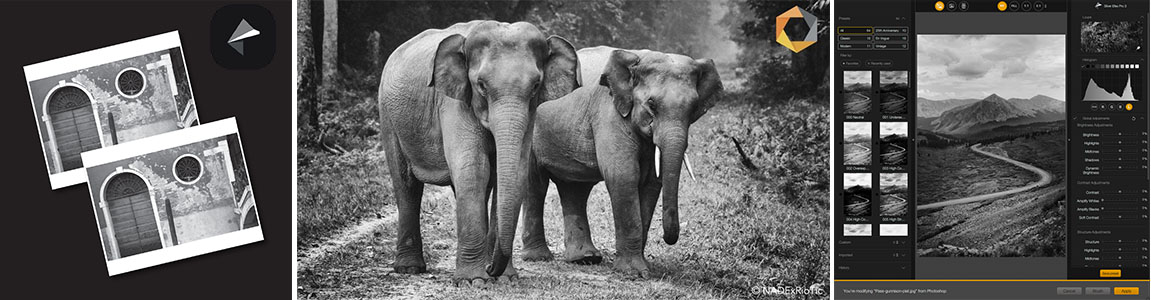
nik webinar graphic

Thank you for attending the Better B&W Prints with Nik Silver Efex webinar with our friends from DXO, Dan Hughes and Laurie Rubin. To get you started we are making this limited time offer available through our online Value Print service.

25% Off with promo code: NIK25

Offer expires on June 5, 2022 – Order Now!

Valid for Value Prints only Not available on Custom Printing services.

For help exporting your files from Adobe Lightroom follow this link. We recommend that when converting color files to black & white that you preserve the RGB layers. Conversions can be made in Adobe Photoshop or Lightroom. We also highly recommend the Nik Silver Efex (part of the DXO Nik Collection) software application for converting images to b&w.

For a how-to on using our Value Print application watch our webinar. For the best results – Make sure your monitor is accurately calibrated, as we do not reprint orders or make adjustments to your file before printing with our Value Print service. If this is your first time printing with us we recommend running a test with our B&W Print Sample Promotion or Color Print Sample Promotion.

Help spread the word!

Filed Under: Promotion Tagged With: nik, nik webinar, silver efex

Digitization & Scanning Methods Compared

March 11, 2022 by Andrea

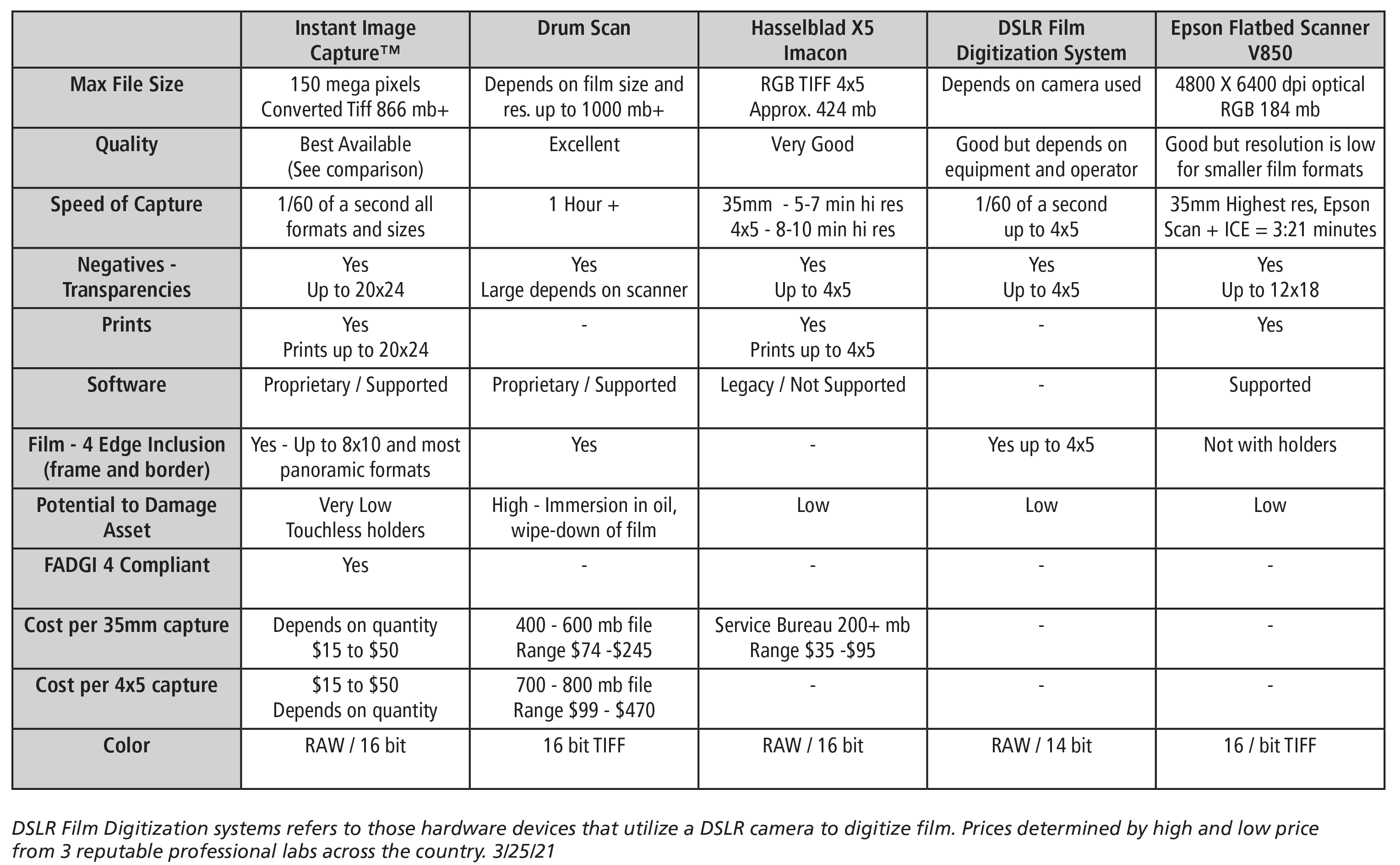
In this post we have created a chart that compares existing and currently supported devices* to our state-of-the-art digitization service. When digitizing your film and prints you have a variety of options. There are many legacy system that do an adequate job, but all are slow and require older software and older computers to run them.

Digitization comparison table

*The Hasselblad X5 Film Scanner is no longer supported by any manufacturer. The X5 is included here as it is still used commercially.

Help spread the word!

Filed Under: Uncategorized Tagged With: digitization chart, digitization methods

Instant Image Capture Compared to Drum Scan

June 22, 2021 by Andrea

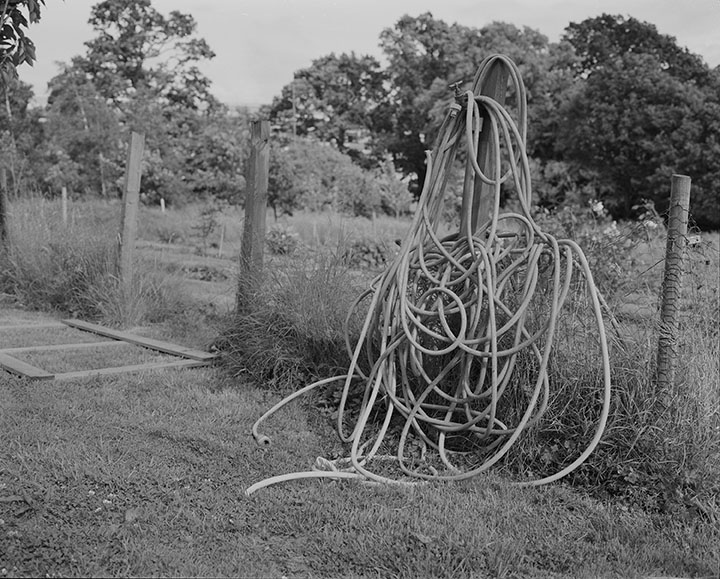
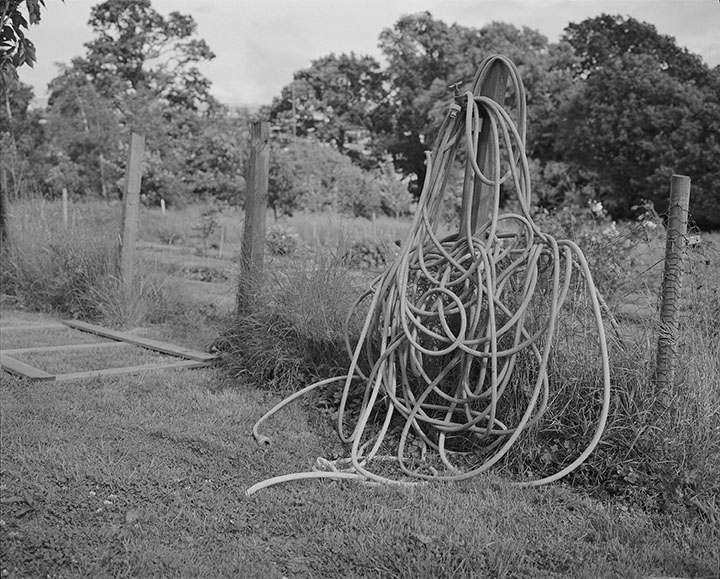
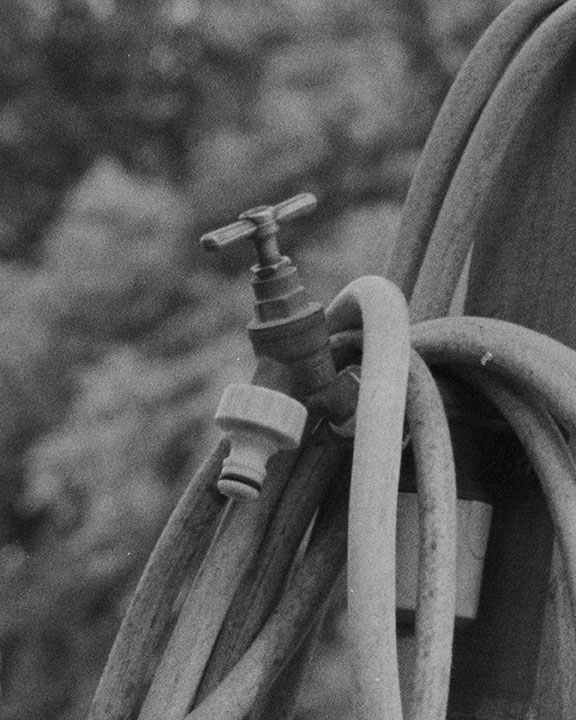
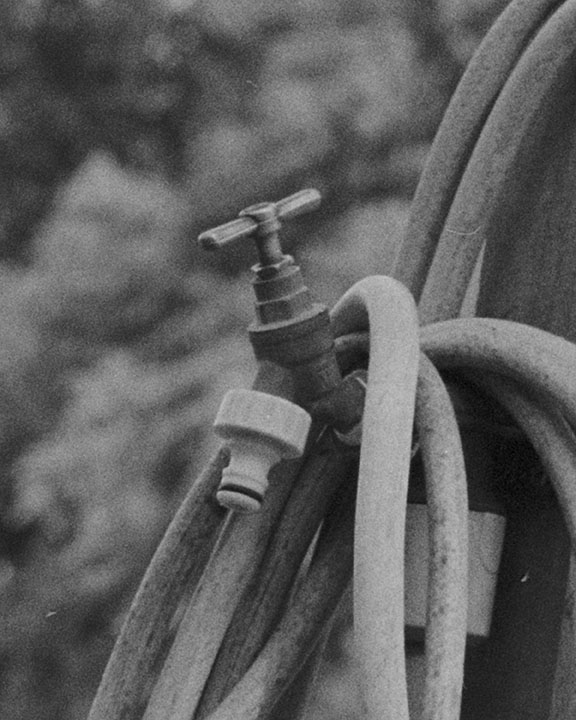
Our Instant Image Capture produces drum scan quality at a fraction of the price and in a fraction of the time. We can make this claim because we ran a test. The examples in this post show the same black & white negative reproduced by drum scan and by the Instant Image Capture System. These are straight reproductions, just as they would be delivered with only the image inversion performed. 

From these samples it is obvious that there is no qualitative difference between the two. This is amazing in that the Instant Image Capture is 1/5 to 1/10 the price of most drum scans and it takes only 1/60 of a second, allowing for 100s of high resolution captures in a day.

b&w image of a hose coiled over a fence
Instant Image Capture – full frame
b&w image of hose coiled on a fence
Drum Scan – Full Frame
detail of hose coiled on a fence
Instant Image Capture – Detail
detail of drum scan
Drum Scan – Detail


Help spread the word!

Filed Under: DSI Product Information Tagged With: drum scan, instant image capture

Digitally Capturing Elliot Erwitt’s Photo Archive

March 2, 2021 by Andrea

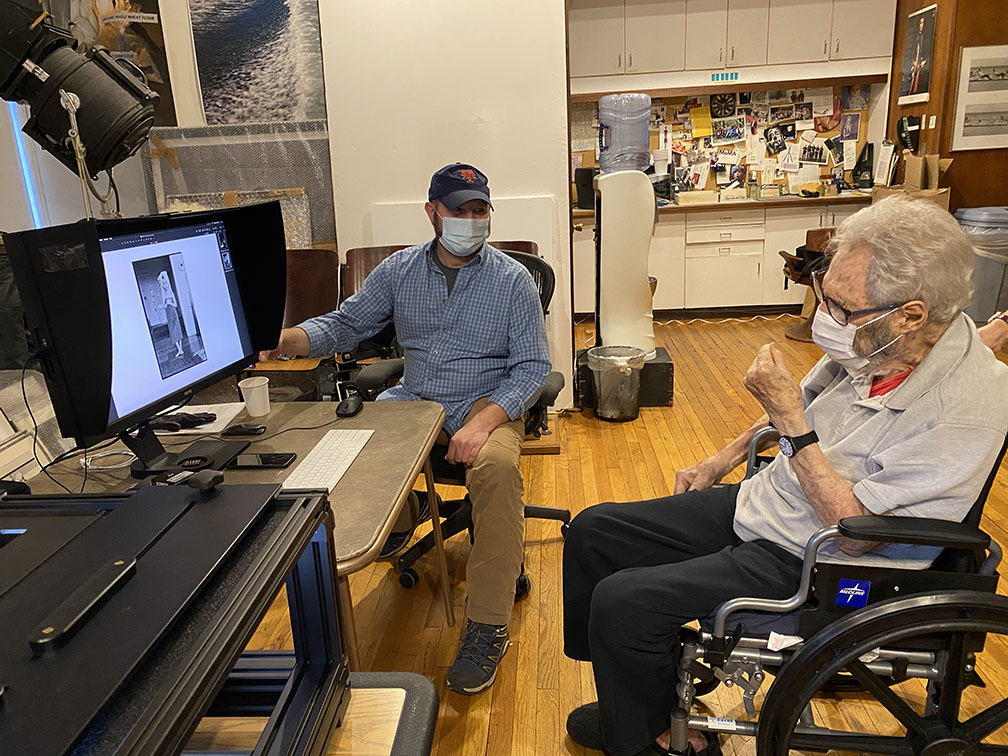
Scott Nidermaier and Elliot Erwitt review a digitally captured image
Scott and Elliot Erwitt review digital captures.

Elliott Erwitt’s many photographs have become part of the world’s visual vernacular. His images for Look, Life, and Magnum capture a world of humor, beauty and irony. His prolific output has filled over 20 published books, with a new book just released in 2021. Elliott’s prints are in virtually every major museum collection in the US and abroad. At the age of 92, Elliott Erwitt hasn’t slowed down much, he’s involved in a variety of projects and working on his archive.

Elliott Erwitt’s archive is where Digital Silver Imaging comes into the picture. Rick Smolan, former Time and National Geographic photographer and Elliott’s son-in-law, came to us with an idea for on-site film digitization. He said that Elliott was reluctant to have his archive leave the studio—a concern widely shared by other photographers—so high resolution on-site high resolution image capture would be ideal. Within In a few short months we had sourced the required high resolution equipment, hired PhaseOne and CaptureOne expert Scott Nidermaier, and formed the Digital Silver Imaging On-site Image Preservation Service™.

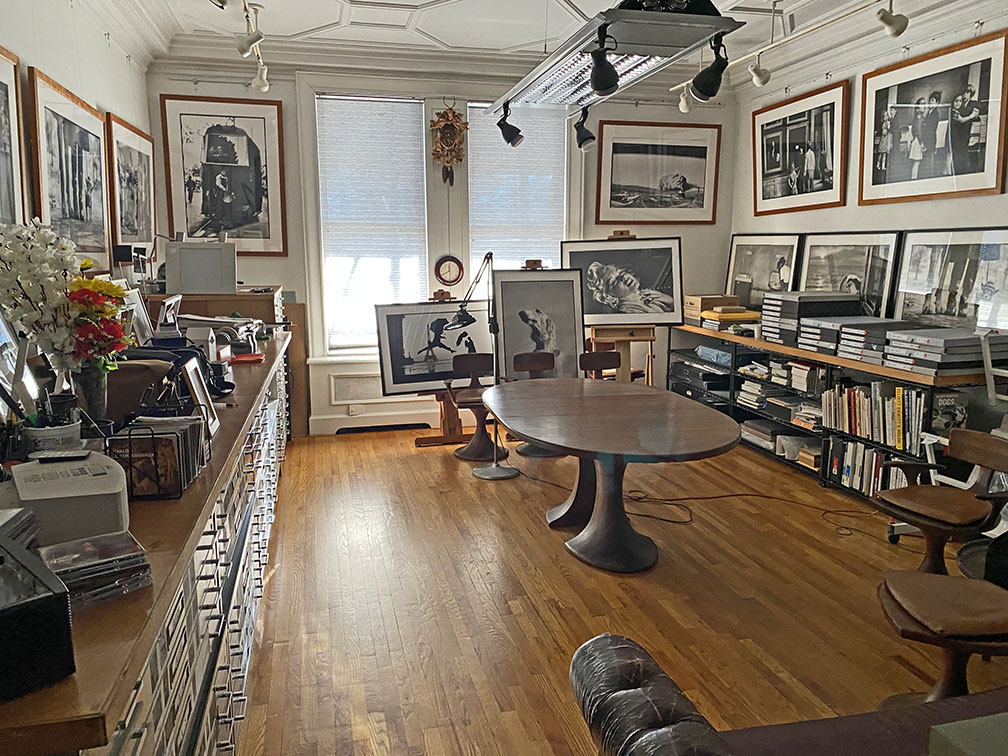
view of elliot erwitt's studio
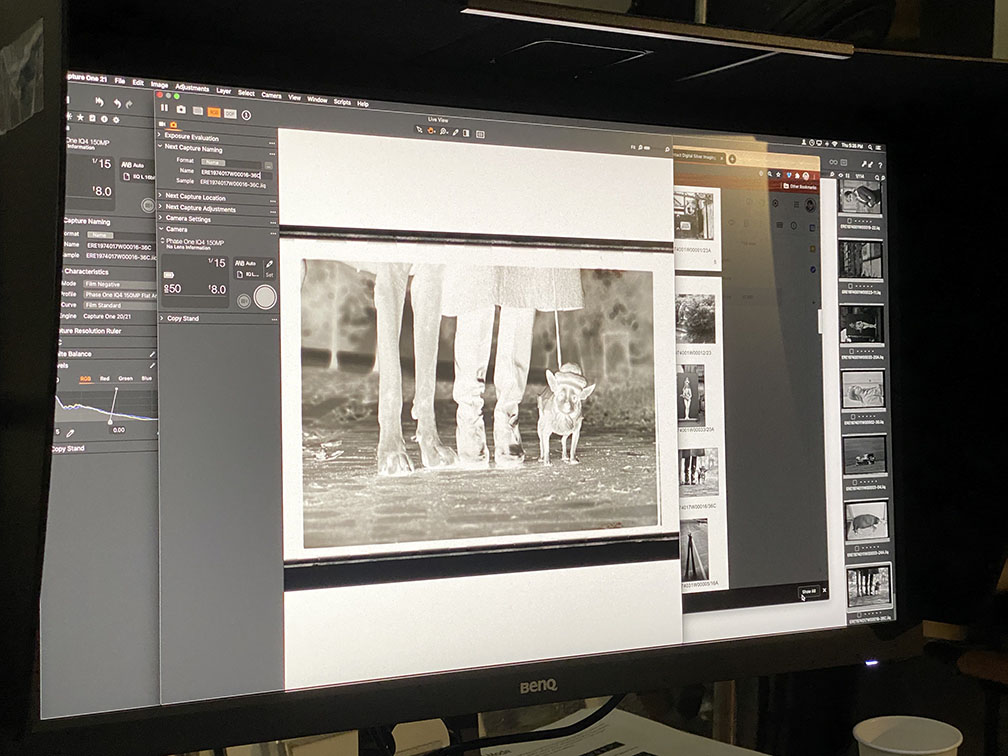
On a chilly Sunday afternoon, Scott and DSI’s Eric Luden got to work digitizing Elliott’s archive. Over the course of the next several days the pair would set up in Elliott Erwitt’s studio and rapidly capture some 3,400 negatives and transparencies. For some photographers such an undertaking could take months or even years, but utilizing our On-site Image Preservation Service™ the job was completed in under three weeks. At the core of the system we utilize a high resolution digital camera mounted with a flat field lens. This method of digital capture produces drum scan quality images with a click of the shutter. Unlike drum scanning, this process minimizes contact between film and machine, dramatically reducing the risk of scratching or damage.

Scott has emphasized that each job is different and attentive preparation is the key to a smooth digital archiving process. The On-site Image Preservation Service™ operates on the principle that every archive is unique, and we customize the service to fit the needs of each client.

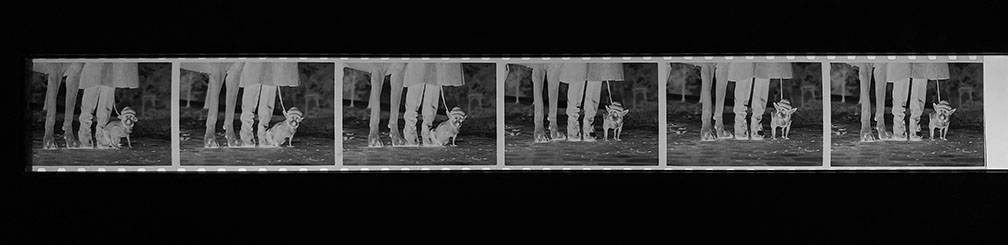
elliott erwitt negative strip in holder
Negative strip loaded into “touchless” magnetic holder and ready for digital capture

Much of the credit for the efficient digitization of Elliott’ Erwitt’s archive goes to his studio manager, Mio Nakamura, who organized the film by box, contact sheet, and negative with a corresponding spreadsheet, so there was no confusion about which images to capture. With the digitization of Elliott’s prized images now complete, his entire film archive will be housed at the Harry Ransom Center at the University of Texas at Austin. It’s a comfort to know that Elliott’s film will be preserved in perpetuity.

elliott erwitt digital capture on computer monitor
Reviewing a capture

Looking back on Elliott’s project, Scott reflected, “It was fascinating to see a sheet of great negatives and wonder why Elliott picked one negative over another. Also, we digitized many images of family that obviously had personal significance to Elliott. Elliot Erwitt lived with a camera in his hand. Sure the Marilyn Monroe and celebrity images are amazing, but there are so many great images that have never been seen before. It makes you realize that archiving is not just about a financial legacy, it’s a personal legacy. It tells you so much about the life of the artist.”

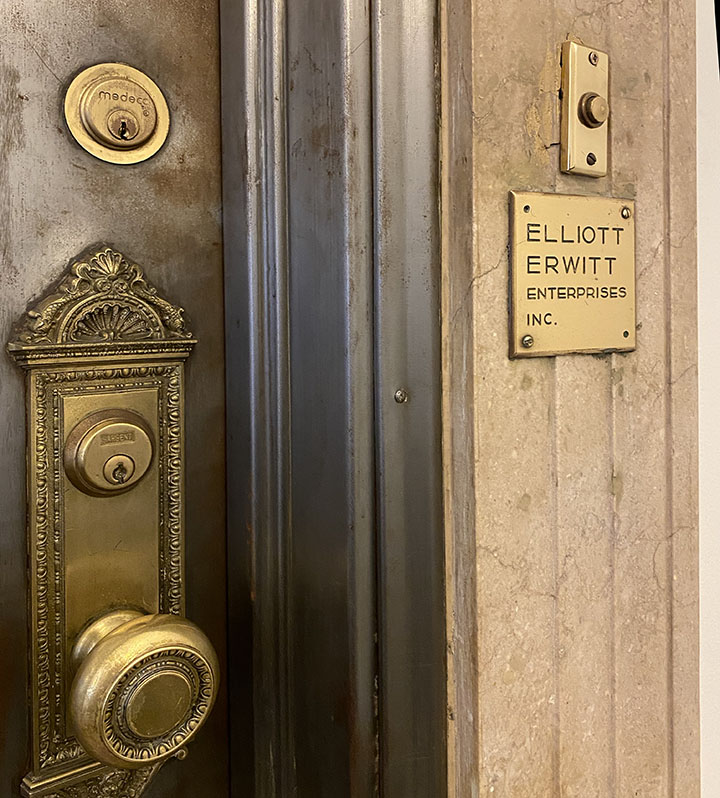
door bell of elliot erwitt enterprizesDigital Silver Imaging is grateful to Elliott Erwitt, Mio Nakamura and Rick Smolan for inviting us to collaborate on this important project. We feel that we played a role in photo history, providing a service to one of the greatest living photographers.

If you are interested in our On-site Image Preservation Service™ please contact Scott Nidermaier at scott@digitalsilverimaging.com.

Help spread the word!

Filed Under: Case Studies, Customer Profile, DSI-News Tagged With: elliott erwitt

Webinars & Video Tutorials

November 3, 2020 by Andrea

Visit and subscribe to our Youtube Channel to see all our videos.

Optimize Your Image for Print with Capture One – Capture One expert Scott Nidermaier walks you through the process of preparing your image for print. Capture One is powerful software that has the best inversion (negative to positive) capabilities in the business. Join us for this informative 30 minute presentation followed by an audience Q&A session.


Instant Image Capture, Better Than Scanning – Come along for a tour of our Instant Image Archiving Service and the hardware and software that make it all possible. Our new service digitally captures your film, print or artwork at a uniform 150 megapixels in a fraction of a second. We can make digital files of your work as quickly as we can safely prepare them for capture – transparencies/slides, negatives, prints and flat artwork can all be reproduced with the highest standards of accuracy. This webinar ends with an extensive Q&A.


The Art of Underwater Photography with Jake Stout – A deep dive with photographer and scuba diver Jake Stout – Jake began his SCUBA journey in 2017 and never looked back. A year later, he was the recipient of the Boston Sea Rover’s internship in which he traveled around the world doing underwater photography with marine scientists, BBC and National Geographic photographers and filmmakers. In 2019 Jake had the honor of presenting his work at the Boston Sea Rovers Film Festival, the longest continually running dive show in the world, and was inducted as a full active roster member in 2020.


Using Photography to Elevate Your Design – A beautifully finished and well crafted photograph can be the defining element of an interior space. As a designer or architect, you are confronted with questions like, what are the best photographic printing processes? How can I finish a photograph to best complement my design aesthetic? What should my photography budget look like? How do I work with a gallery or photographer? These questions and more will all are answered in a this Zoom panel discussion. The panel will consist of fine art photo lab owners Eric Luden and Andrea Zocchi, architect Tim Techler and art consultant Lynne Kortenhaus who has helped numerous clients acquire images and design interior spaces with photographic installations.


Converting Your Image to B&W with Joe Brady – How you execute your black and white conversion can make-or-break your image and your print. Simply selecting “grey scale’ results in soulless black & white conversions. Photoshop® and Lightroom® expert Joe Brady will share how he converts his images from color to black & white. Joe steps you through the process in clear easy to follow steps. Also included is a howto on the Nik Silver Efex Pro plug in. Joe and the team from Digital Silver Imaging will answer your questions live in this informative and interactive webinar. Included in the webinar: Starting your edit in color for the best black & white Using the graduated filter function to even exposure How to properly spot your image Using color channels to make amazing black & white conversions Using the brush tool to make black & white images that pop Best practices for exporting your image for print.


Photographing in India and Nepal: An Insider’s Guide – Join us with Roro La Velle and Craig Semetko as we take you on a journey through India and Nepal. Both of these Roro and Craig have experience as photographers, travelers, and tour leaders in these fascinating and photo friendly countries. Roro La Velle is the founder of Two Wheeled Expeditions, a company that takes participants via Royal Enfield motorcycles on tours of India and Nepal. Craig Semetko is a Leica professional and author of the book “India Unposed.”


Creating a Successful Kickstarter Campaign with Barry Schneier and Lou Jones – We speak with photographers Barry Schneier and Lou Jones about their successful Kickstarter projects. Barry’s book project on Bruce Springsteen was the second most popular photography book on Kickstarter in 2018. Lou has had 2 successful campaigns on this crowdfunding platform. We will discuss what made their campaigns successful and some important tips and suggestions. We end with Q&A from the attendees.


Online Printing Made Easy – We will walk you through the steps to using our new online Value Print Service for uploading your files for beautiful high quality prints and reasonable prices. An easy way to become acquainted with our online Value Print application. Includes a Q&A session with webinar participants.

Help spread the word!

Filed Under: Case Studies, DSI Product Information, DSI-News, General News Tagged With: tutorials, video tutorial, webinars, youtube

  • « Go to Previous Page
  • Page 1
  • Page 2
  • Page 3
  • Page 4
  • Page 5
  • Interim pages omitted …
  • Page 46
  • Go to Next Page »

Primary Sidebar

Categories

  • Case Studies (9)
  • Customer Profile (14)
  • DSI Product Information (11)
  • DSI-News (14)
  • Events (29)
  • General News (37)
  • General News>Friends of Digital Silver Imaging (4)
  • Interview (3)
  • News (57)
  • Promotion (13)
  • Reviews (3)
  • The Griffin Museum at Digital Silver Imaging (6)
  • Uncategorized (167)
  • Workshops (35)
  • z15 (1)

Digital Silver Imaging

9 Brighton Street
Belmont, MA 02478
617-489-0035
email us
map and directions
shipping info
Hours: 9–5:30 Monday–Friday

  • Facebook
  • Instagram
  • RSS
  • Twitter
  • YouTube

Footer

Digital Silver Imaging

9 Brighton Street
Belmont, MA 02478
617-489-0035
email us
map and directions
shipping info
Hours: 9–5:30 Monday–Friday

Sign Up for DSI-eNews

We'll send you a discount code you can use in your first order and occasional emails to inform you of new services, promotions and events.

  • This field is for validation purposes and should be left unchanged.

Follow DSI

  • Facebook
  • Instagram
  • RSS
  • YouTube

All content © 2026 Digital Silver Imaging · Privacy Policy · powered by WordPress · web design by smallfish-design